
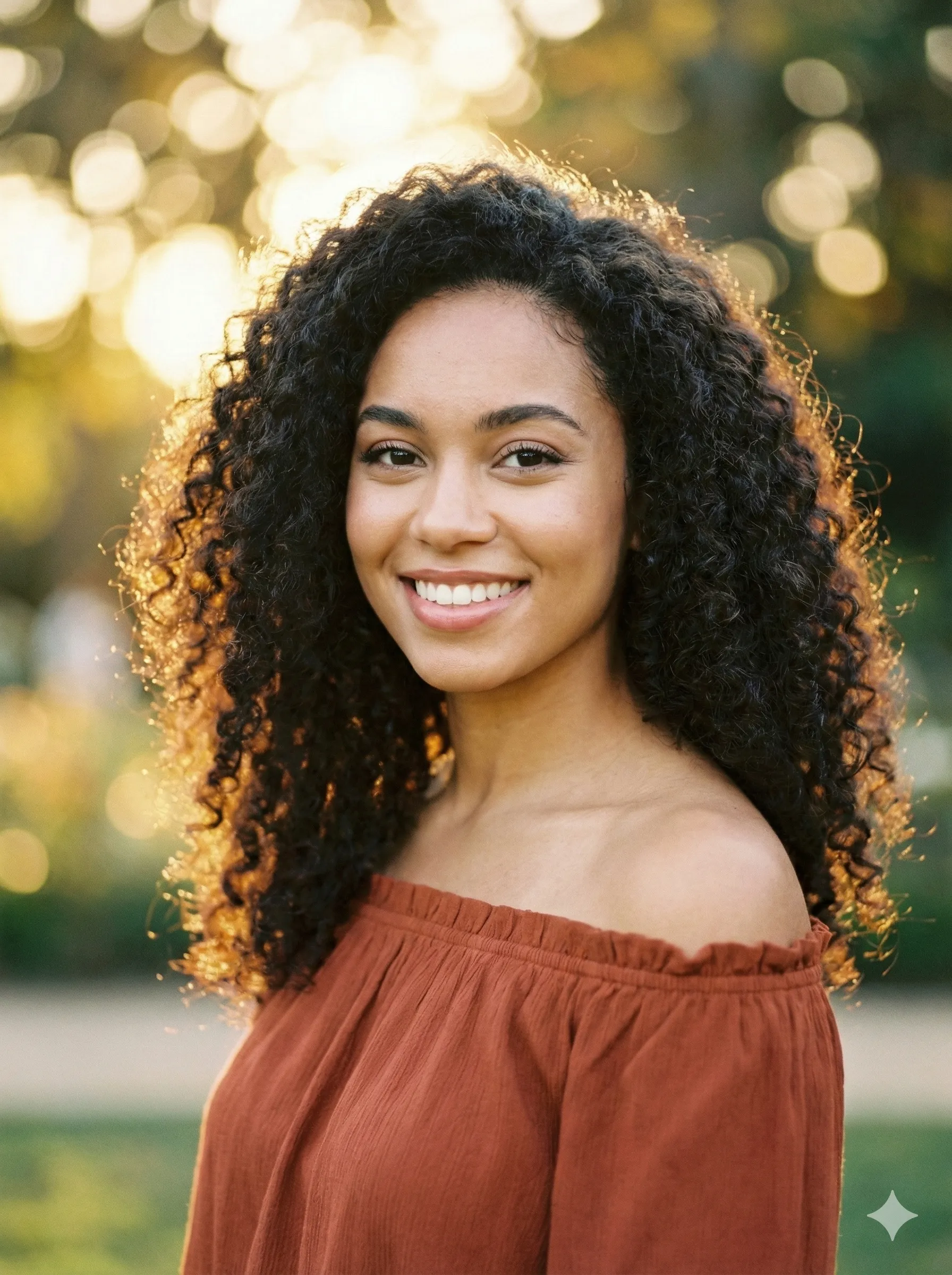
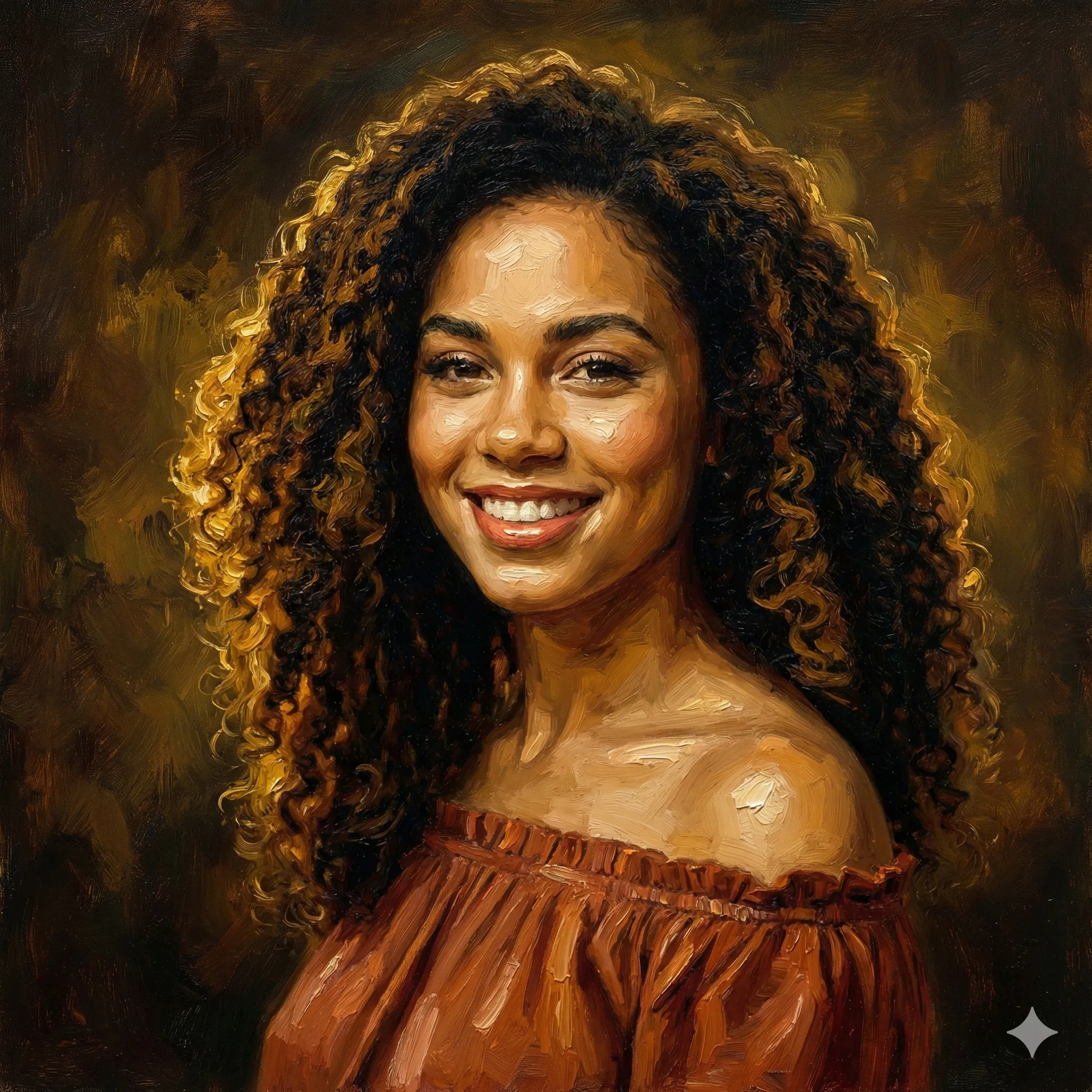
Imagine stepping out of a 16th-century Venetian canvas — your likeness preserved in rich chiaroscuro, draped in velvet robes, set against a golden Tuscan landscape. That's exactly what the AI Renaissance portrait trend delivers, and in 2026 it's one of the most viral photo transformations on the internet.
The movement exploded after OpenAI upgraded GPT-4o's image generation capabilities, spawning millions of social media posts tagged #RenaissanceAI and #AIPortrait. Major tech publications called it "the AI trend that makes everyone look like they belong in a museum." Unlike fleeting filters, the Renaissance aesthetic produces genuinely jaw-dropping results — images people print, frame, and use as professional profile pictures.
This guide covers everything: the best AI Renaissance portrait generators, step-by-step ChatGPT prompts, and how to choose the right tool for your needs.
What Is an AI Renaissance Portrait Generator?
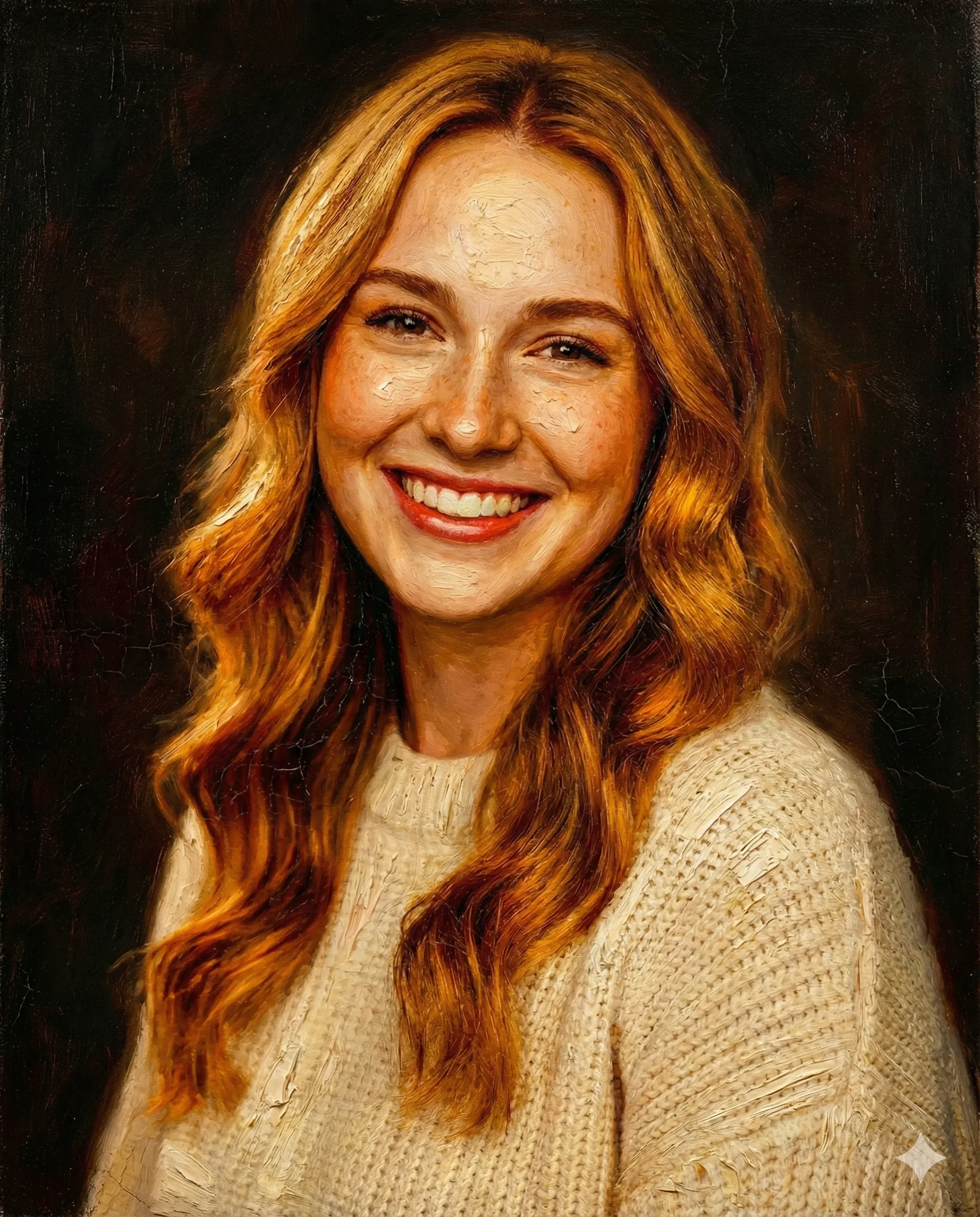
An AI Renaissance portrait generator uses machine learning to transform modern photographs into classical oil paintings styled after the European Renaissance (roughly 1400–1600 CE). The AI analyzes your facial features and body posture, then renders them with:
Chiaroscuro Lighting
The dramatic light-and-shadow technique pioneered by Leonardo da Vinci and Caravaggio — deep shadows and warm, directional light that sculpt the face.
Period-Accurate Costuming
Velvet doublets, lace ruffs, noble robes, and jeweled accessories rendered in convincing painterly detail.
Classical Composition
Three-quarter poses, neutral backgrounds, or architectural and landscape settings drawn from actual Renaissance portraiture conventions.
Oil Painting Texture
Visible brushstrokes, deep color saturation, and aged canvas appearance that makes the result look genuinely painted.
The result is a portrait indistinguishable from the kind hanging in the Louvre or the Uffizi Gallery — except the subject is you.
Why the Renaissance Portrait Trend Went Viral in 2026
The AI Portraits project — which maps selfies onto a dataset of 45,000+ historical paintings — famously crashed its own servers from traffic when it first launched. That was a preview of what was coming.
The 2026 explosion happened for three reasons:
Why the Renaissance Trend Has Staying Power
| Factor | Impact |
|---|---|
| GPT-4o image generation | Made Renaissance portraits accessible to anyone with ChatGPT |
| Social media sharing | Results are visually dramatic and instantly recognizable |
| Print-ready quality | High-resolution outputs suitable for home décor, not just memes |
| Celebrity adoption | Influencers and public figures sharing their AI Renaissance portraits added massive reach |
TechRadar reported that Renaissance portrait prompts became one of the top 10 most-used ChatGPT image requests within weeks of GPT-4o's image rollout. The aesthetic has staying power that trend-of-the-week filters lack — because it taps into something universal: the desire to look timeless and important.
Top 5 AI Renaissance Portrait Generators in 2026
ChatGPT (GPT-4o)
Most CustomizableChatGPT with GPT-4o is the gold standard for Renaissance portrait generation. Its natural language interface means you can dial in exactly the period, style, and mood you want — from Florentine High Renaissance to Dutch Golden Age.
Best for: Power users who want maximum creative control
Pricing: Free tier with daily limits; ChatGPT Plus ($20/month) for unlimited generations
Skill required: Moderate — prompt quality significantly affects output
Fotor
Best Dedicated ToolFotor's dedicated Renaissance painting generator offers a streamlined upload-and-transform workflow. No prompt engineering needed — just upload a clear photo and the AI handles the rest.
Best for: Quick, hassle-free transformations
Pricing: Free tier available; paid plans from $8.99/month for higher resolution
Skill required: None
CGDream
Best Free OptionCGDream stands out with 100 free daily credits for registered users — generous enough for multiple daily generations. Supports both photo-to-Renaissance and text-to-Renaissance modes.
Best for: Users who want genuinely free, ongoing access
Pricing: 100 free credits/day; paid plans for bulk generation
Skill required: Low
Media.io
Best for Likeness PreservationMedia.io markets itself as a "selfie to 16th-century masterpiece" tool and excels at keeping your facial features intact while applying period-accurate artistic transformation.
Best for: Users worried about AI altering their appearance
Pricing: Free trial credits on signup; subscription for regular use
Skill required: None
AI-Portraits.org
Best for PrivacyAI-Portraits.org explicitly deletes uploaded images after processing — a significant differentiator in a space where you're uploading your face to a third-party server.
Best for: Privacy-conscious users
Pricing: Free trial; premium for high-resolution downloads
Skill required: None
Step-by-Step: Create Your AI Renaissance Portrait with ChatGPT
Prepare Your Photo
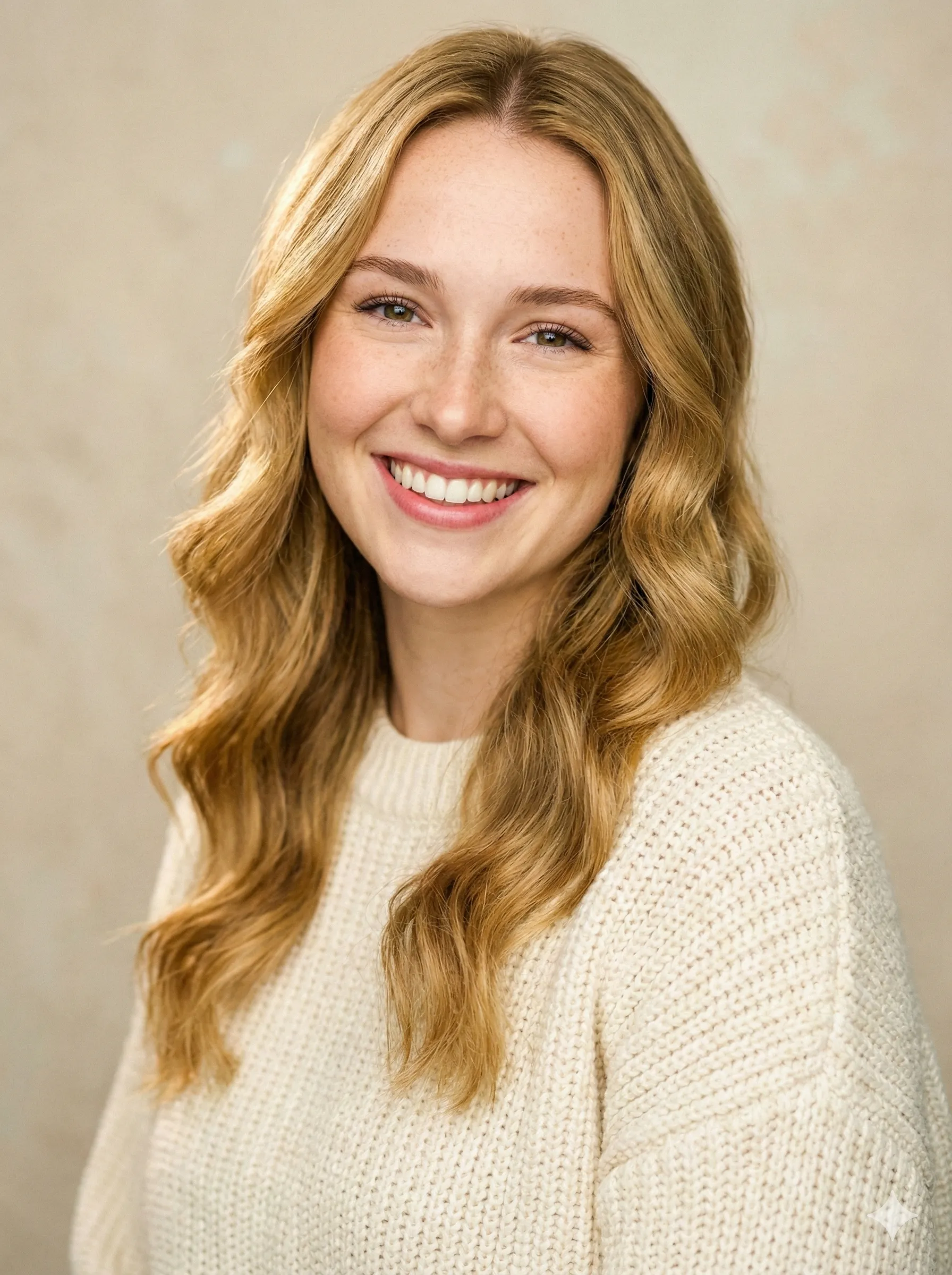
Photo quality is the single biggest factor in output quality. Use a photo with clear, even lighting (avoid harsh shadows across your face), a front-facing or three-quarter angle, a simple background, minimum 1080px resolution, and a neutral or slightly composed expression — the Renaissance rarely featured wide smiles.
Avoid group photos, sunglasses, and heavy Instagram filters — the AI needs to read your raw facial geometry.
Open ChatGPT and Upload Your Photo
Go to ChatGPT (free or Plus). Click the image attachment icon in the message bar and upload your photo.
Enter Your Renaissance Prompt
For a classic High Renaissance oil painting:
"Transform this portrait into a Renaissance oil painting in the style of Leonardo da Vinci or Raphael. Render the subject in period-accurate noble attire — velvet doublet, lace collar, or rich robes. Apply chiaroscuro lighting with warm candlelight from the left. Set against a dark neutral background with a subtle Tuscan landscape in the upper corner. Oil painting texture with visible brushstrokes. Museum-quality composition. Do not change the facial features or expression."
For a dramatic Baroque-Renaissance hybrid:
"Turn this photo into a dramatic Baroque-Renaissance portrait. Chiaroscuro lighting, deep shadows, rich jewel tones. The subject wears lavish period costume — gold-embroidered fabric, a fur stole, pearl jewelry. Slightly three-quarter pose. Dark, atmospheric background. Visible oil paint texture. Caravaggio-inspired lighting contrast. Preserve the subject's face and expression exactly."
For a Dutch Golden Age portrait (Rembrandt style):
"Create a Dutch Golden Age oil painting portrait from this photo. Rembrandt-style chiaroscuro — warm amber light from the upper left, deep shadow on the right. Subject wears 17th-century Dutch merchant attire: dark doublet, white lace collar. Neutral dark background. Rich, muted color palette. Thick impasto brushwork. Warm amber and umber tones. Keep the person's face faithful to the photo."
Refine If Needed
If the first result drifts from your likeness: "Keep my facial features identical but strengthen the Renaissance oil-painting texture. Make the costume more ornate."
To specify a particular artist's style: "Apply the painting style of [Titian / Botticelli / Vermeer / Velázquez] while keeping my face unchanged."
Download and Use
ChatGPT generates 1024×1024px images by default. For print-ready resolution, use a dedicated tool or upscale with a service like Topaz Photo AI before printing.
Pro Tip
Always include "do not change the facial features or expression" in your ChatGPT Renaissance prompt. Without this phrase, the model may stylize your face toward an idealized Renaissance archetype rather than preserving your actual appearance.
Step-by-Step: Using a Dedicated Tool (Fotor or Media.io)
Navigate to the Tool's Renaissance Page
Upload Your Photo
Select Your Style Preset
Generate
Adjust and Download
Most dedicated tools produce slightly less customized results than ChatGPT but are significantly faster and more consistent at likeness preservation.
What Photo Works Best for Renaissance AI Portraits?
Photo Type vs Output Quality
| Photo Type | Result Quality |
|---|---|
| Well-lit, front-facing selfie | Excellent |
| Outdoor portrait, natural light | Very good |
| Professional headshot | Excellent |
| Dimly lit indoor photo | Poor |
| Group photo (cropped) | Fair |
| Sunglasses / hat obscuring face | Poor |
| Low-resolution or blurry | Poor |
The AI reconstructs your likeness from facial geometry — the clearer that geometry is in the original photo, the more faithful the Renaissance version will be.
Can You Use AI Renaissance Portraits Commercially?
Check Your Tool's Terms Before Commercial Use
This depends entirely on which tool you use:
- ChatGPT: OpenAI's terms permit personal use by default. Commercial rights depend on your subscription tier — ChatGPT Plus users have broader usage rights, but always verify current terms for commercial projects.
- Dedicated tools (Fotor, Media.io, etc.): Most allow personal use in free tiers; commercial licensing typically requires a paid plan. Check each platform's terms of service.
- Midjourney / Stable Diffusion: Commercial rights vary by subscription tier and model used.
For professional use — profile photos, book covers, event materials — stick to tools with explicit commercial licensing on your plan.
Privacy Considerations When Uploading Your Face
You Are Sharing Biometric Data
When you upload a photo to an AI generator, you're sharing biometric data with a third party. Here's what to know:
- AI-Portraits.org explicitly states it does not store uploaded images after processing — the most privacy-protective policy in this space
- ChatGPT / OpenAI: Uploaded images may be used to improve models unless you opt out in Settings → Data Controls
- Most SaaS tools: Review the privacy policy — many retain images for quality improvement
If privacy is a concern, use a tool with explicit deletion policies or generate via a local model (Stable Diffusion) that never uploads your image.
Frequently Asked Questions
Do I need ChatGPT Plus for Renaissance portraits?
The free tier of ChatGPT now includes limited image generation — enough to try the trend. ChatGPT Plus ($20/month) removes daily limits and often produces higher-quality outputs. Dedicated tools like CGDream offer free alternatives that don't require any ChatGPT subscription.
Will the AI change my face?
Most photo-to-Renaissance tools are specifically designed to preserve your likeness. When using ChatGPT, including the phrase "do not change the facial features or expression" in your prompt is critical — without it, the model may stylize your face toward an idealized Renaissance type rather than your actual appearance.
How realistic do the results look?
Modern AI Renaissance portraits are genuinely impressive — rich oil-painting texture, accurate period lighting, and convincing costume detail. Quality has improved dramatically since 2023. The best results are print-frameable.
Can I choose the Renaissance style — Italian vs Dutch vs Baroque?
Yes, with ChatGPT you can specify artist styles (da Vinci, Rembrandt, Vermeer, Titian, Caravaggio) or regional schools (Venetian, Florentine, Dutch Golden Age). Most dedicated tools offer preset style options, though with less granularity.
What if the AI changes my skin tone?
This is a known issue with some models. If your portrait shows inaccurate skin tone, add to your prompt: "Preserve the subject's exact skin tone and complexion." Media.io and AI-Portraits.org are noted for accurate likeness preservation across diverse skin tones.
Can I print and frame my AI Renaissance portrait?
Absolutely — that's one of the trend's primary appeal points. For print quality, you'll want at least 2000px on the long side. Use dedicated tools' paid tiers or upscale your ChatGPT output before printing. Canvas prints of AI Renaissance portraits have become a popular home décor choice.
Transform Your Photo into Renaissance Art Today
The AI Renaissance portrait trend combines the timeless aesthetic of classical European painting with the accessibility of modern AI tools — and the results speak for themselves. Whether you use ChatGPT for fully customized prompts or a dedicated tool for one-click transformation, you can step into the Renaissance in under a minute.
Ready to See Yourself as a 16th-Century Noble?
Upload your photo to CartoonPerson and experience the transformation. The Renaissance masters spent years perfecting the art of portraiture. AI now lets you join their gallery in seconds.

