
Make your Christmas PFP from your photo
Four AI Christmas photo looks: Santa hat, cartoon, snow scene or wreath frame. You get a square 2048×2048 JPG for 4 credits.
1. Pick your Christmas look
2. Upload a photo of you
Upload your photo
JPG, PNG or WEBP, up to 10 MB. Use a clear single-person portrait.
No account needed to buy: checkout only asks for your email. Sign in with Google in the same browser to keep everything; on another device, a verified Google account with your checkout email restores your remaining credits.
Your photo and result each go through a family-friendly check. Unsafe uploads or results are blocked. If a result is blocked, no credits are charged.
Quick answer
- Pick a look, add a clear photo of you, then generate. No account is needed. In our one-run tests, three looks finished in about 28–33 seconds and Cartoon in about 170 seconds (direct model calls).
- The square output places your face in the middle, so it fits Discord, Instagram, X and WhatsApp round avatar crops.
- Each image costs 4 credits; credit packs start at $5.99 for 40 credits (10 images). No account needed to buy.
- The look aims to keep your hairstyle, smile and features recognizable. Likeness varies by photo, so check the result.
Four looks for your Christmas PFP
Choose a photo-real holiday portrait, a cartoon avatar or a wreath around your photo.
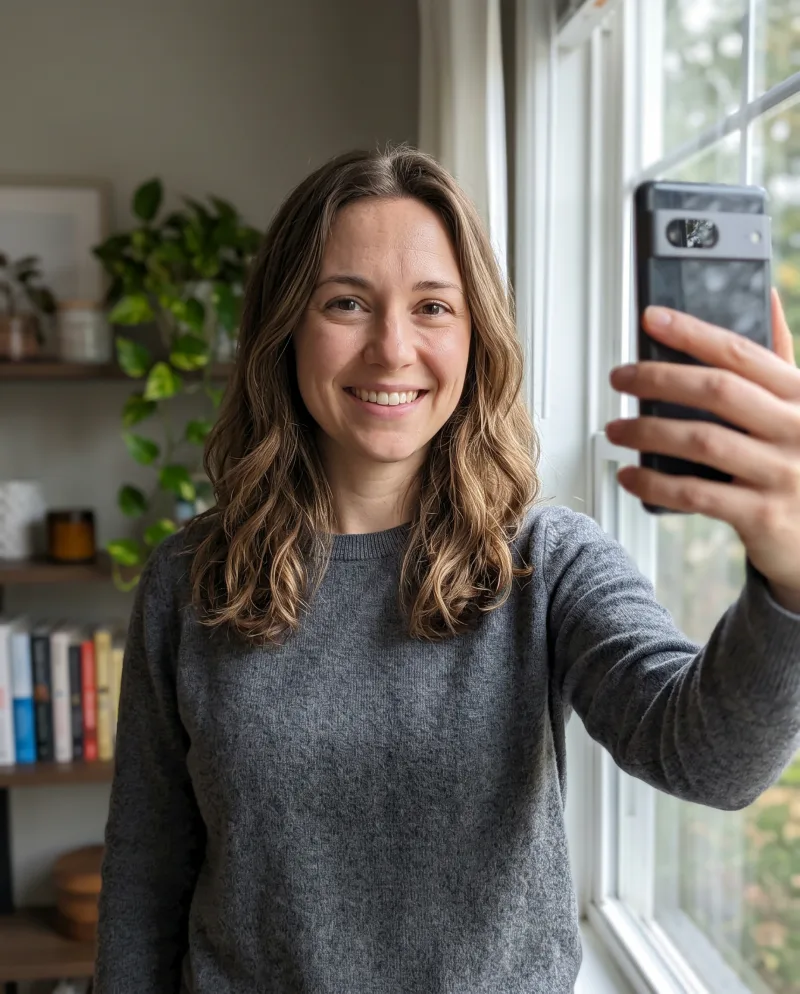
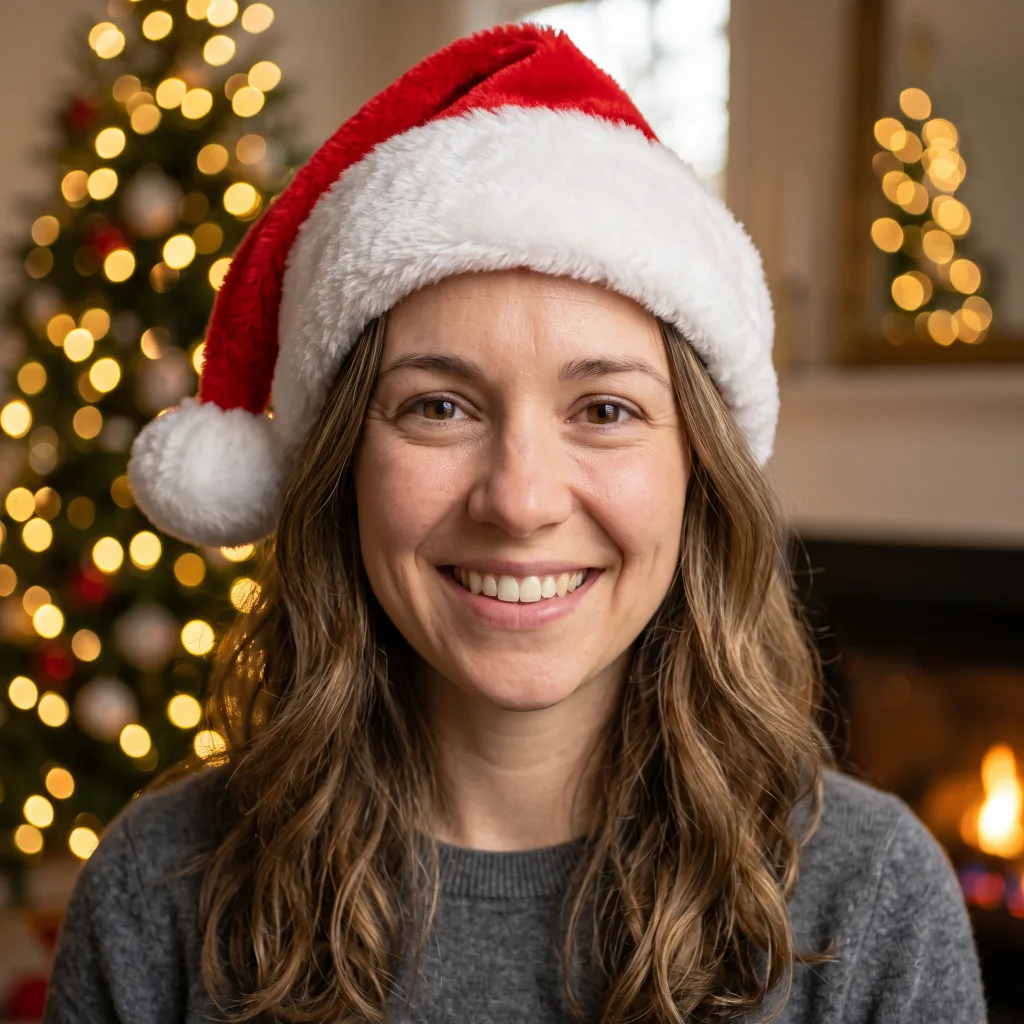
Santa hat Christmas portrait
A photo-real portrait with a red Santa hat and warm Christmas-tree bokeh lights. Pick this for a classic holiday profile picture.
Use the Santa Hat look →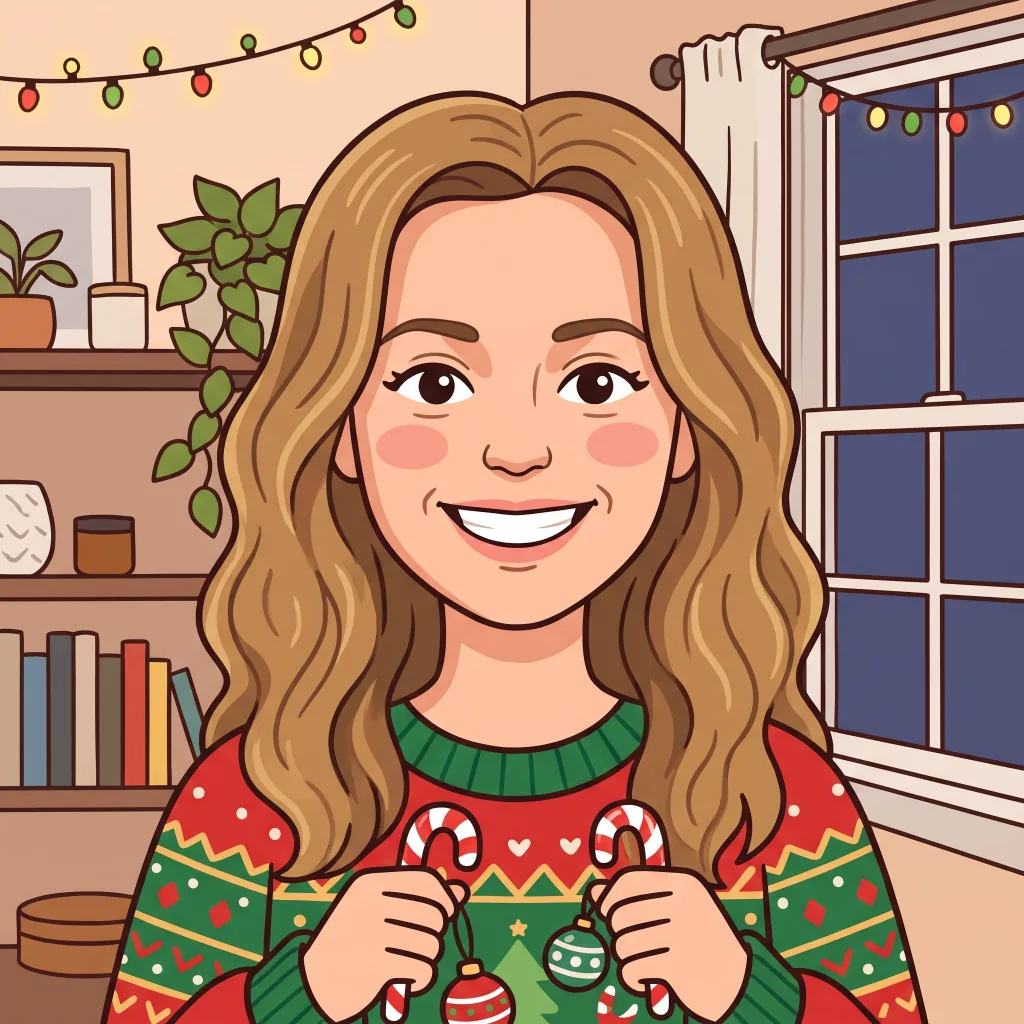
Christmas cartoon avatar
A 2D cartoon avatar in a red and green Christmas sweater, with candy canes and ornaments. Pick this for an illustrated holiday profile.
Use the Cartoon look →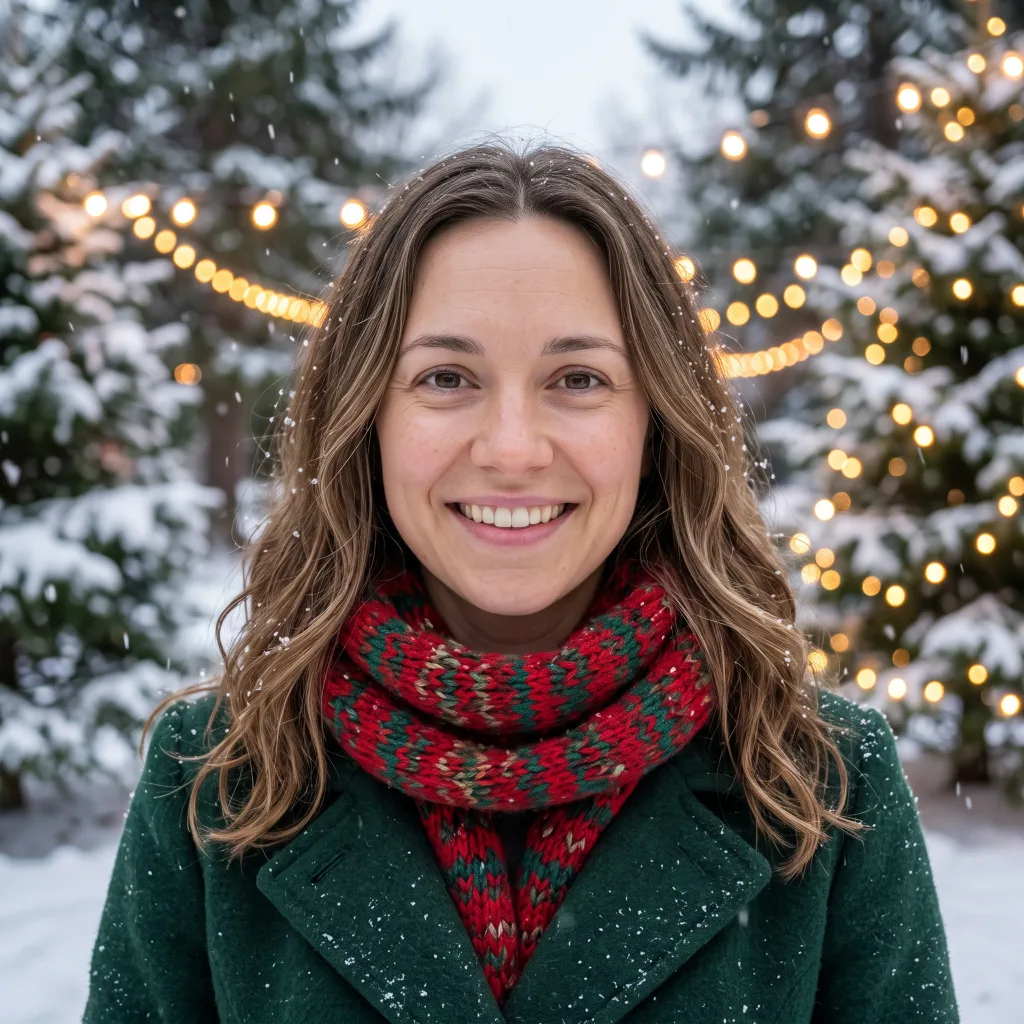
Snowy Christmas evening portrait
A photo-real snowy evening portrait with a knit scarf, winter coat, falling snow, pine trees and string lights. Pick this for an outdoor winter look.
Use the Snow Scene look →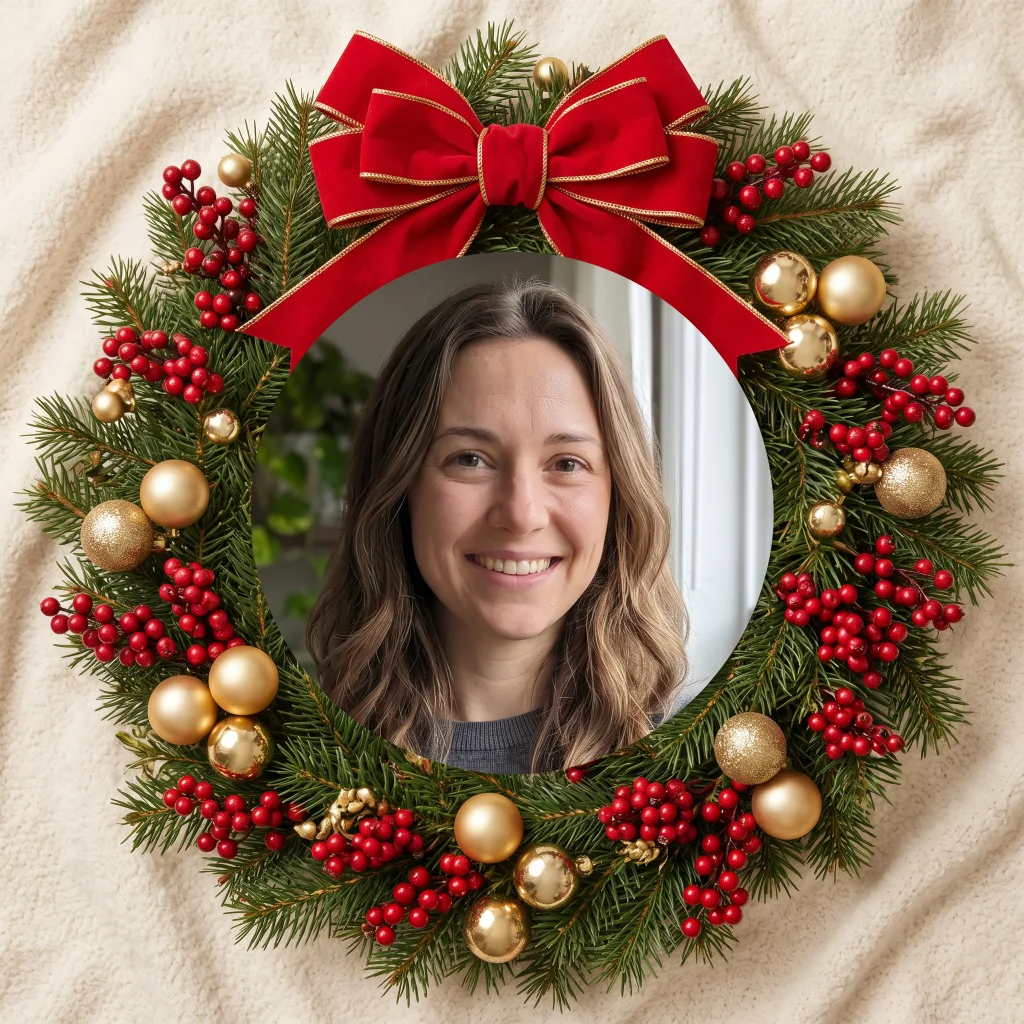
Christmas wreath photo frame
Your photo inside a round pine wreath with red berries, gold ornaments and a red bow on a cream background. Pick this for a framed holiday portrait.
Use the Wreath Frame look →How to make a Christmas PFP in three steps
- 1
1. Choose a Christmas PFP look
Select Santa Hat, Cartoon, Snow Scene or Wreath Frame.
- 2
2. Upload your Christmas PFP photo
Choose a clear photo of you as a JPG, PNG or WEBP up to 10 MB. It uploads right away; no account is needed.
- 3
3. Generate and download your Christmas PFP
Generate for 4 credits per image. Download the square 2K JPG when your result is ready.
Real AI Christmas photo test results
On November 10, 2026, we sent one photo of a fictional AI-generated adult (a 1856×2304 JPG) once per look to the same AI model the site uses, nano-banana-2 at 2K. The four jobs ran at the same time. These are individual measured runs, not averages.
| Look | Submit-to-result time (1 run) | Output | Site cost per image |
|---|---|---|---|
| Santa Hat | 32.4 s | 2048×2048 JPG | 4 credits |
| Cartoon | 170.4 s | 2048×2048 JPG | 4 credits |
| Snow Scene | 32.6 s | 2048×2048 JPG | 4 credits |
| Wreath Frame | 28.0 s | 2048×2048 JPG | 4 credits |
- Every output was a 2048×2048 JPG. Only single-person portraits were tested.
- Each time is wall-clock seconds from submitting the job until the result URL appeared, checked every 4 seconds, so a value can run a few seconds late (the 4-second wait plus the time each status check took).
- These runs called the model directly. In the app, upload, safety checks and storage are extra steps on top of this; we did not time the full in-app flow.
- One run per look cannot establish a typical generation time; your wait can vary.
Photo tips for your Christmas profile picture
- Use a clear single-person portrait of you; other kinds of photos were not tested.
- Choose a photo where your face, hairstyle and smile are easy to see.
- Check the result before using it: likeness can vary, even with a clear photo.
Where to use your Christmas PFP
Use your Christmas profile picture for Discord, Instagram, X, WhatsApp, Slack or LinkedIn. Every output is square, and the looks are set up to place your face in the middle for round avatar crops; check the crop when you upload it.
You can also use your portrait on holiday cards or as a group-chat photo. The group-chat image is your single-person portrait; only single-person portraits were tested.
Christmas PFP pricing and credits
Each generated image costs 4 credits. Credit packs are one-time payments: Starter $5.99 for 40 credits (10 images), Popular $11.99 for 100 credits (25 images) and Big $22.99 for 240 credits (60 images). No account needed to buy: checkout only asks for your email. Sign in with Google in the same browser to keep everything; on another device, a verified Google account with your checkout email restores your remaining credits.
We checked the 4-credit cost, the upload limits and these pack prices against the site code on November 14, 2026. Image counts are credits ÷ 4, if all credits go to Christmas images. Current packs are always listed on the pricing page.
If a result is blocked by the safety check, no credits are charged.
Christmas photo privacy and safety
Every request includes a family-friendly check of your photo before generation and of the result before it is shown. Unsafe uploads or results are blocked.
Your history shows results as downloadable for 24 hours; a scheduled cleanup job is set to process results that expired more than 7 days ago. You can delete images from your history.
Christmas PFP and AI Christmas photo FAQ
How much does a Christmas PFP cost?
+
Each generated image costs 4 credits. Credit packs start at $5.99 for 40 credits (10 images). No account needed to buy: checkout only asks for your email. Sign in with Google in the same browser to keep everything; on another device, a verified Google account with your checkout email restores your remaining credits.
How long does an AI Christmas photo take?
+
Timing varies by look. Our November 10, 2026 tests measured one direct-model run per look, not averages; see the results above. In the app, upload, safety checks and storage are extra steps we did not time.
What size is my Christmas PFP?
+
Your output is a square 2K JPG, set up to place your face in the middle. Every measured test output was 2048×2048 pixels.
Will my Christmas profile picture look like me?
+
Each look aims to keep your hairstyle, smile and features recognizable, but likeness varies by photo. Check the result before you use it, and try another clear photo if it does not look like you.
Can I use my Christmas PFP on Discord or Instagram?
+
Yes. The square image is set up for round avatar crops, including Discord and Instagram profile pictures. Check the crop when you upload it.
What photo works best for an AI Christmas photo?
+
Use a clear single-person portrait of you; other kinds of photos were not tested. Choose one where your face, hairstyle and smile are easy to see; upload a JPG, PNG or WEBP up to 10 MB.
Is my Christmas photo stored?
+
Your history shows results as downloadable for 24 hours; a scheduled cleanup job is set to process results that expired more than 7 days ago. You can delete images from your history.
Can I use my AI Christmas photo commercially?
+
Yes. Commercial use of generated images is allowed on every plan, per the Terms of Service.
What happens if my Christmas photo result is blocked?
+
No credits are charged if a result is blocked. Each request checks your photo before generation and the result before it is shown; unsafe uploads or results are blocked.
Want a year-round avatar?
Browse 23 cartoon styles, from anime to 3D, for the rest of the year.
Browse cartoon styles →Crafting for the holidays? Free holiday printables → · Write a letter to Santa with a free printable template → · Free gingerbread house template → · Christmas tree coloring pages → · Gingerbread man coloring pages → · Christmas ornament coloring pages →

Written and tested by
William ZZ · Founder
Last updated