You've seen them flooding your LinkedIn feed — glamorous, pink-packaged fashion doll portraits where real people are transformed into vinyl collectibles complete with accessories, a name tag, and a career tagline. The AI Barbie doll generator trend exploded across social media in April 2025 and hasn't slowed down since.
From CEOs posing as "Corporate Barbie" to nurses reimagined as "Healthcare Hero Barbie," millions have embraced this creative AI trend. Thanks to ChatGPT's upgraded image generation capabilities, transforming any photo into a stunning fashion doll portrait — or a full blister-pack box — requires nothing more than a selfie and a clever prompt.
What Is the AI Barbie Doll Generator Trend?
The AI Barbie doll generator trend uses artificial intelligence to transform photos into images styled after iconic fashion dolls. Unlike simple Instagram filters, these AI-generated creations can produce two distinct formats:
Barbie Portrait Style: A glamorous close-up rendering of you as a fashion doll — glossy skin, oversized sparkling eyes, flawless makeup, and bold hair. Think Barbie's signature aesthetic applied to your face.
Barbie Box Style: A full-figure doll displayed inside clear plastic blister-pack packaging, complete with your name printed on the box, themed accessories, a catchphrase, and "Limited Edition" branding. This is the format that went viral on LinkedIn.
How the trend spread
The trend began on LinkedIn in early April 2025, initially spreading among professionals who created career-themed Barbie boxes. Within days, the format exploded to TikTok, Instagram, Facebook, and X, spawning hashtags #BarbieBoxChallenge and #AIBarbie that generated tens of millions of views.
Why Did This Trend Go Viral?
What made this format uniquely shareable
| Factor | Why It Works |
|---|---|
| Nostalgia | Barbie packaging is universally recognizable across generations |
| Aspiration | The doll aesthetic is glamorous and flattering |
| Personalization | Every box tells your unique story |
| Professional Branding | Perfect for LinkedIn headshots and personal branding |
| Creative Freedom | Infinite accessory and styling combinations |
| Cultural Relevance | Barbie's cultural moment post-2023 film kept interest high |
ChatGPT's image generation features drew more than 150 million active users within their first month after launch — and the Barbie box trend was a major driver of that explosive adoption. The trend followed the earlier Studio Ghibli AI portrait wave, with publications calling it the standout social media AI craze of spring 2025.
Top AI Barbie Doll Generator Tools in 2026
ChatGPT (GPT-4o)
Most PopularChatGPT remains the gold standard for Barbie doll generation. GPT-4o's vision capabilities can analyze your uploaded photo and render a faithful fashion doll transformation based on your custom prompt.
Pros: Highly customizable, free tier available, best prompt flexibility
Cons: Results vary, requires prompt crafting skills, limited free generations
Fotor AI Barbie Box Generator
Best Preset TemplateFotor offers a dedicated Barbie Box preset that creates box-packaged doll images from uploaded photos. New users receive 10 credits, with one generation costing 6 credits — enough for one free try.
Pros: Preset template, automatic packaging design, video export option
Cons: Credit system limits free use
CapCut AI Barbie Generator
Mobile FriendlyCapCut's browser-based tool generates Barbie-style images directly from photo uploads without requiring prompt engineering. Ideal for quick results.
Pros: No prompt skills needed, free tier, mobile-friendly
Cons: Less customization than ChatGPT
BaiRBIE.me
Purpose-BuiltA dedicated tool built specifically for the Barbie box trend. Simple upload-and-generate workflow with minimal setup.
Pros: Purpose-built for Barbie style, fast generation
Cons: Limited styling options
Media.io AI Doll Generator
Face Swap IntegrationCombines Barbie-style generation with face swap technology for more personalized results.
Pros: Face swap integration, multiple export formats
Cons: Requires account creation
Midjourney / Stable Diffusion
Advanced UsersFor those seeking maximum creative control, Midjourney and Stable Diffusion offer the highest quality but require more technical knowledge.
Pros: Highest quality output, unlimited customization
Cons: Paid subscription (Midjourney), technical setup required
Step-by-Step: Create Your AI Barbie Doll with ChatGPT
Choose Your Photo
The quality of your starting photo dramatically affects results. Use a photo with:
- Clear, soft lighting (natural or ring light)
- Front-facing or slight three-quarter angle
- Simple or plain background
- Visible outfit that represents your personality or profession
- High resolution (1080x1080 minimum)
Avoid group photos, sunglasses, or heavy shadows — the AI needs to clearly read your facial features.
Open ChatGPT and Upload
Go to ChatGPT with GPT-4o (the free tier supports image generation with daily limits). Click the image attachment icon and upload your photo.
Enter Your Prompt
For a Barbie Box (the viral format):
"Create a realistic fashion doll action figure of the person in this photo displayed in blister pack packaging. The box name at the top reads: [YOUR NAME]. Underneath add the tagline: [YOUR TAGLINE]. Include themed accessories in the packaging like [LIST 3–5 ACCESSORIES]. Add a 'Limited Edition' sticker. Use pink and gold packaging colors."
For a Barbie Portrait:
"Transform this photo into a glamorous fashion doll portrait. Render the person as a high-quality vinyl fashion doll with oversized glossy eyes, flawless doll-like skin, bold makeup, and perfectly styled hair. Use soft studio lighting with a pink gradient background. Maintain realistic proportions while achieving a polished doll aesthetic."
Refine Your Results
Don't expect perfection on the first try. Common follow-up prompts:
- "Make the doll look more like me, preserving my hair color and facial features"
- "Add a pink background with sparkle effects"
- "Make the packaging text larger and more readable"
- "Include a tiny [specific accessory] next to the figure"
Download and Share
Once satisfied, download your image. For LinkedIn, the portrait format works best. For Instagram and TikTok, the full Barbie box format drives more engagement.
The Best ChatGPT Prompts for Barbie Doll Transformation
Classic Barbie Box (Viral Format)
"Draw a fashion doll action figure of the person in this photo. The figure should be displayed in its original blister pack packaging. At the top of the box, write the name: [YOUR NAME]. Add a subheading: [TAGLINE]. Include themed accessories in the packaging alongside the figure. Add a 'Collector's Edition' badge."
Professional Career Edition
"Create a collectible fashion doll of the person in this photo called '[NAME] Career Barbie.' Include career accessories: [laptop/stethoscope/paintbrush/etc.], coffee cup, phone, and [one more relevant item]. The box design should look like a limited-edition professional collection with rose gold and white packaging. Add skill stats: [SKILL 1]: 98%, [SKILL 2]: 100%."
Glamour Portrait Style
"Transform this photo into a hyper-realistic fashion doll portrait. The subject should look like a high-end collector's doll: oversized eyes with long lashes, glossy smooth skin, full lips, and perfectly styled [hair color and style] hair. Background: soft pink bokeh with golden sparkles. Barbie-style glamour lighting."
Vintage Collectible Edition
"Render the person in this photo as a 1990s collectible fashion doll in box packaging. Use retro typography and design elements for the packaging. Style the doll in [decade-specific outfit]. Include a collector's number stamp. The box should look aged and authentic, like a vintage toy still in its original packaging."
Best Friend / Group Edition
"Create two matching fashion dolls from the photos provided — they should look like a collector's set sold together. Give each doll a complementary name and matching color scheme accessories. Package them together in a 'Best Friends Collection' dual-blister pack with coordinating pink and teal colors."

Barbie Portrait vs. Barbie Box: Which Should You Create?
Format comparison
| Format | Best For | Key Features | Where to Share |
|---|---|---|---|
| Barbie Portrait | Profile photos, personal branding | Close-up glamour, doll face | Instagram, X, dating apps |
| Barbie Box | LinkedIn, viral content | Full figure, packaging, accessories | LinkedIn, TikTok, Facebook |
| Barbie Box (Career) | Professional networking | Career accessories, skill stats | LinkedIn, work socials |
| Vintage Barbie | Nostalgia content, art projects | Retro styling, aged packaging | Instagram, Pinterest |
Pro Tips for Stunning Results
Get the Photo Right
Soft, even lighting prevents shadows that confuse AI
Lighting is everything
A subtle smile or confident expression translates well
Express personality
If creating a career Barbie, dress in work attire
Wear relevant clothing
Props in your photo will appear in the doll version
Clear accessories
Master the Prompt
Pro Tip
Specify exact hair color, length, and style — AI doesn't always get this right from the photo alone. List exactly 3–5 accessories for the cleanest box design (more clutters the image). Use "fashion doll" or "collectible doll" instead of "Barbie" to avoid trademark issues with some tools. Mention a specific color palette for packaging and add "highly detailed, professional product photography, studio lighting" for sharper results.
Iterate Strategically
Refine one variable at a time
Save every generation, even imperfect ones — details sometimes improve in later tries. When refining, make one change per follow-up prompt to understand what's working. Specific is better: "make her eyes larger and more sparkly" beats "make it look more like a doll."
Alternative: CartoonPerson for Consistent Style
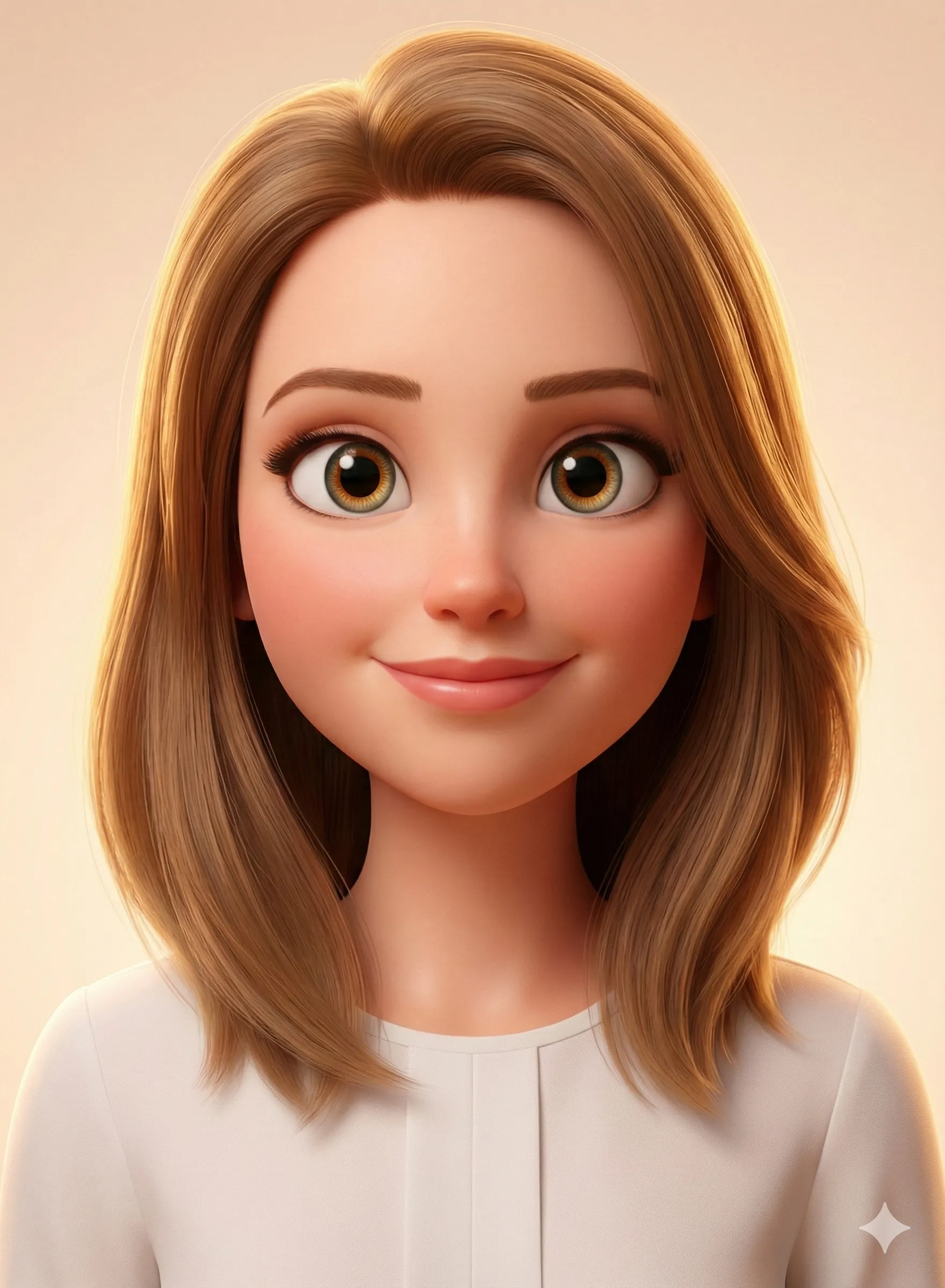
While ChatGPT offers flexibility, the doll aesthetic can be inconsistent across generations. For those wanting reliable, high-quality cartoon transformations with a consistent style, CartoonPerson offers an excellent complement.
CartoonPerson's specialized AI models produce 29+ curated cartoon styles including Chibi (the closest equivalent to doll-style) and Pixar 3D.
CartoonPerson vs. ChatGPT
| Capability | CartoonPerson | ChatGPT |
|---|---|---|
| Style Consistency | Guaranteed | Variable |
| Available Art Styles | 29+ curated | Prompt-based |
| Output Quality | Up to 4K | 1024x1024 |
| Ease of Use | One-click | Prompt required |
| Commercial Use | Included | Subscription only |
Best of both tools
Use CartoonPerson to create a clean cartoon character base that captures your features reliably, then bring that into ChatGPT to add the Barbie box packaging. This two-step workflow consistently produces the strongest results.
Privacy and Safety: What You Should Know First
The Barbie box trend involves uploading facial photos to AI platforms. Before you do, consider the risks.
Understand the privacy implications
Your facial data may be classified as biometric data under GDPR (EU), CCPA (California), and BIPA (Illinois). Many platforms use uploaded photos to train future AI models unless you explicitly opt out. TechRadar called the trend "a privacy nightmare" due to the volume of facial data being collected.
What to Do
Review the privacy policy
Read the privacy policy of any tool before uploading your photo.
Disable training data use in ChatGPT
Go to Settings → Data Controls → Improve the model for everyone → Off.
Prefer tools with explicit deletion policies
Look for platforms that clearly state they delete uploaded photos after generation.
Never upload photos of children
Avoid uploading images of minors to any AI generation platform.
Trademark Considerations
Avoid using the Barbie name directly
Mattel actively enforces trademarks on the "Barbie" name and logo. Use "fashion doll" or "collectible doll" in prompts rather than "Barbie." Don't include Barbie logo text in generated packaging, and avoid commercial use of trademarked branding without licensing.
Trend Variations to Try in 2026
Career Barbie Series
Create a themed box for every job role in your team — great for company culture content and team-building social posts.
Birthday Barbie Box
Transform the birthday person into a limited-edition doll as a unique, personalized gift that outperforms any generic present.
Wedding Party Set
Create matching doll boxes for the entire bridal party — a memorable keepsake that doubles as shareable content.
Pet Barbie Edition
Some tools can transform pets into companion animal dolls packaged with their human counterpart.
Vintage 1959 Edition
Recreate the iconic original Barbie swimsuit packaging aesthetic with a modern photo for maximum nostalgia impact.
Frequently Asked Questions
Is the AI Barbie generator free?
Yes — ChatGPT's free tier supports a limited number of image generations per day. Dedicated tools like BaiRBIE.me offer free versions with watermarks. Fotor provides one free try with their 10-credit new user bonus.
Do I need ChatGPT Plus for the Barbie trend?
No. GPT-4o is available on the free tier with daily generation limits. For unlimited generations and higher quality, ChatGPT Plus ($20/month) removes these restrictions.
Why doesn't my AI Barbie look like me?
Common causes: low-resolution starting photo, complex backgrounds, or the AI over-stylizing. Try uploading a higher-resolution, well-lit photo with a plain background. Add specific details to your prompt: hair color, distinctive features, outfit description.
Can I use my AI Barbie image commercially?
Most free tools restrict commercial use. ChatGPT Plus includes commercial licensing for generated images. Check individual tool terms before using generated images in marketing materials, merchandise, or professional content.
What accessories work best for a career Barbie box?
Keep accessories directly tied to your role: a doctor's stethoscope, a chef's knife, a teacher's apple and books, a developer's keyboard. 3–5 items create a clear visual story without cluttering the packaging design.
Can I create a Barbie box without uploading my photo?
Yes — text-to-image prompts can generate generic Barbie figures. Describe the character's appearance in detail. Tools like Midjourney, NightCafe, and OpenArt work well for text-only Barbie generation.
Is it ethical to create a Barbie doll of someone else?
Only with explicit consent. Creating doll images of others without permission — especially celebrities or coworkers — raises serious consent and ethical concerns. The AI Barbie trend works best as a personal creative tool, not something applied to others' faces without asking.
Create Your AI Barbie Today
The AI Barbie doll generator trend proves that AI creativity tools are most powerful when they're also deeply personal. A Barbie box that reflects your actual profession, personality, and style isn't just fun — it's a compelling form of personal branding that resonates across every social platform.
Start with ChatGPT using the prompts above, or explore dedicated tools like Fotor, CapCut, or BaiRBIE.me for a more guided experience. For consistently high-quality cartoon transformations in a range of styles, CartoonPerson delivers polished results without the prompt engineering learning curve.
Your fashion doll moment is waiting. What does your Barbie box say about you?
Explore more AI photo transformation trends: AI Action Figure Generator | ChatGPT Pixar Style | Studio Ghibli AI Filter

