The Pixar-style transformation trend has captured imaginations worldwide in 2026, turning everyday photos into enchanting 3D cartoon masterpieces. Following the massive success of the ChatGPT caricature trend, millions of users are now exploring how ChatGPT can transform their photos into characters worthy of Pixar's animation studio.
This comprehensive guide reveals exactly how to create your own Pixar-style character using ChatGPT, complete with expert prompts, professional tips, and alternative tools for achieving studio-quality results.
What Is the ChatGPT Pixar Style Trend?
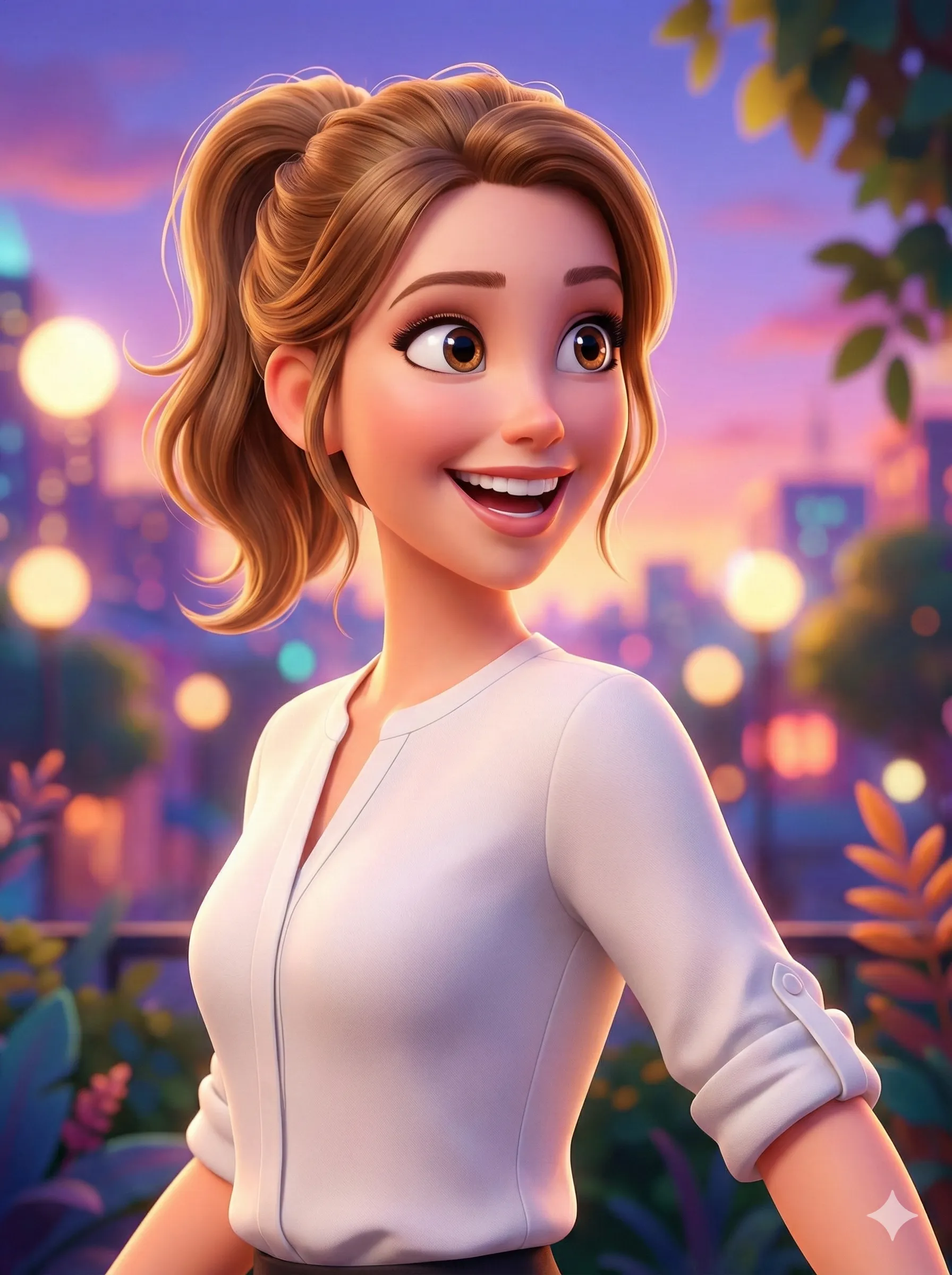
The ChatGPT Pixar style trend leverages DALL-E 3 image generation technology to convert ordinary photos into 3D cartoon characters. The results capture what makes Pixar's visual identity unmistakable:
Signature Pixar Aesthetics
Big expressive eyes, smooth shading, and soft lighting — the visual grammar audiences worldwide associate with Pixar films.
3D Depth and Dimension
Cinematic quality with realistic materials and textures — not flat cartoon, but fully realized three-dimensional characters.
Vibrant Color Palettes
Warm, saturated colors characteristic of Pixar films — the golden glow that makes every frame feel optimistic.
Emotional Expressions
Playful, magical, and instantly shareable character designs that communicate personality at a glance.
According to recent social media analytics, the #PixarStyle hashtag has accumulated over 850 million views across TikTok, Instagram, and Twitter in early 2026, making it one of the year's most engaging AI trends.
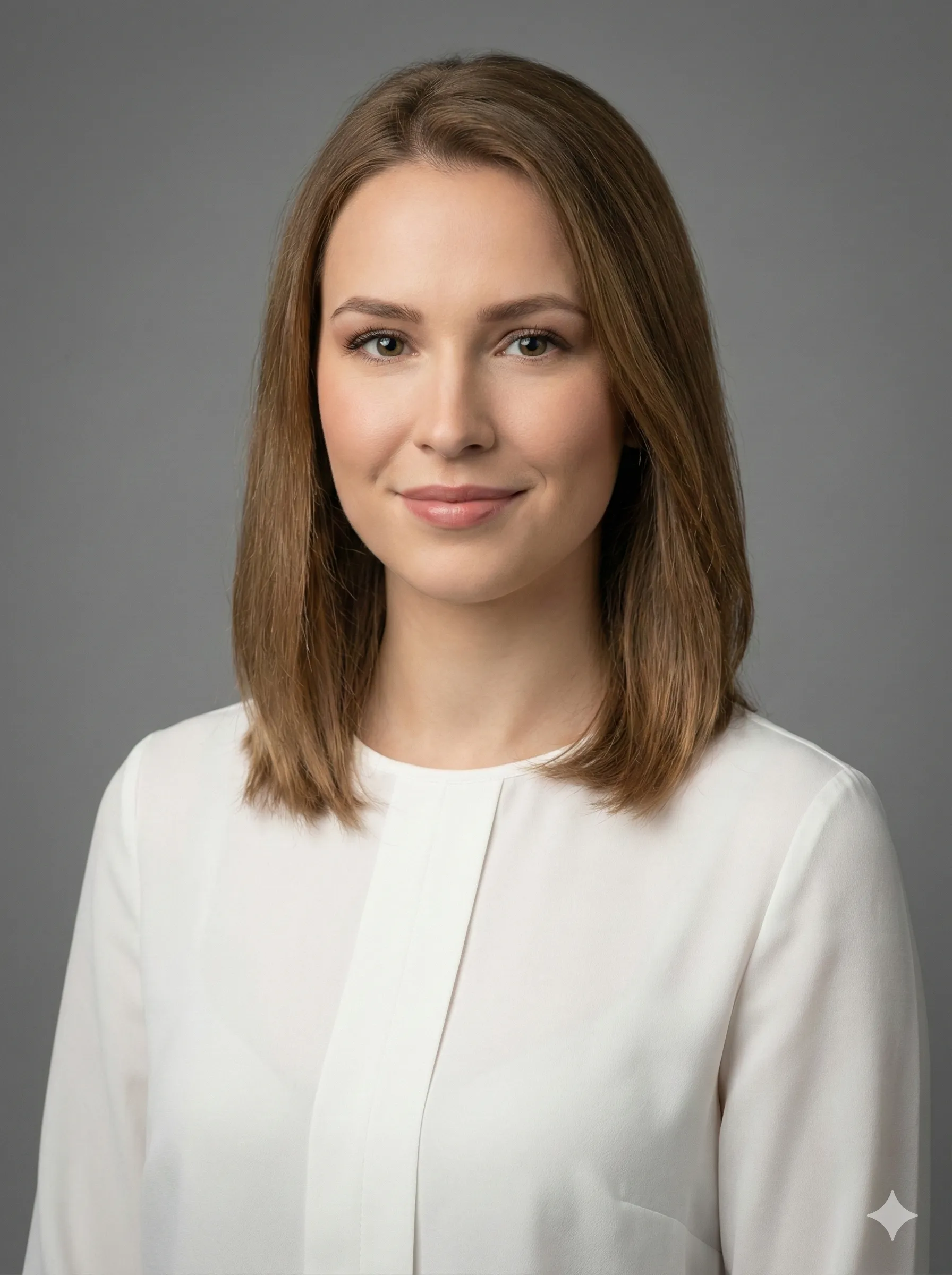
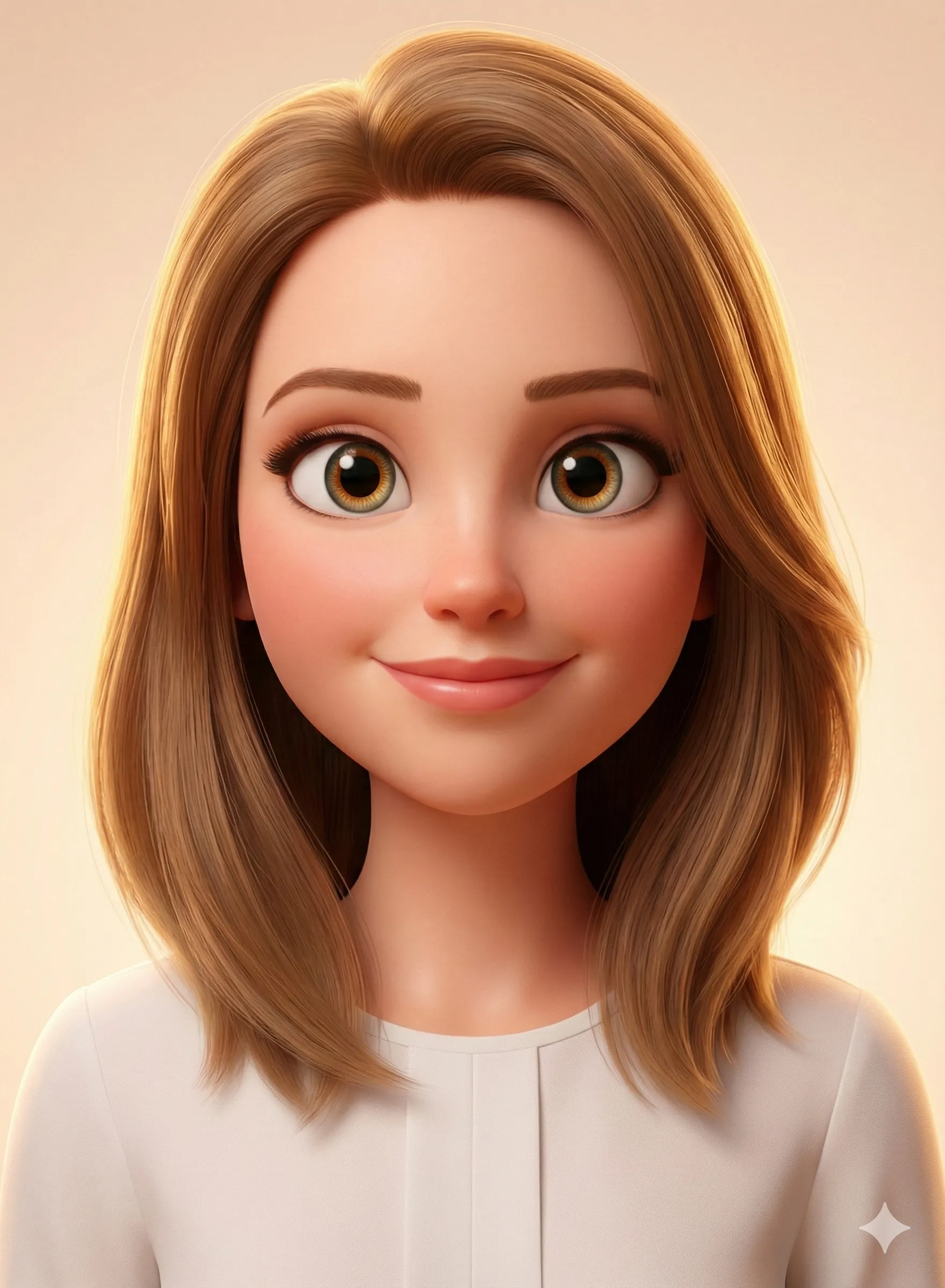
Why the Pixar Style Is So Popular
Why Pixar-Style AI Transformations Dominate Social Media
| Feature | User Benefit |
|---|---|
| Universal Recognition | Pixar's aesthetic is globally beloved |
| Professional Quality | 3D rendering appears cinematic |
| Nostalgic Appeal | Connects with childhood movie memories |
| Social Currency | Creates highly shareable profile pictures |
| Creative Expression | Allows personality visualization |
Industry experts note that Pixar-style avatars have become the new standard for social media profile pictures, LinkedIn headshots, and even digital business cards in creative industries.
How to Create Pixar Style Images with ChatGPT
Prerequisites
Before starting, ensure you have a ChatGPT Plus subscription (required for DALL-E 3 access), a high-quality source photo (at least 1080×1080 pixels), a clear frontal or three-quarter view of your face, and good lighting without harsh shadows.
Free ChatGPT users have limited daily image generations (approximately 5 per day), so plan accordingly.
Prepare Your Source Photo
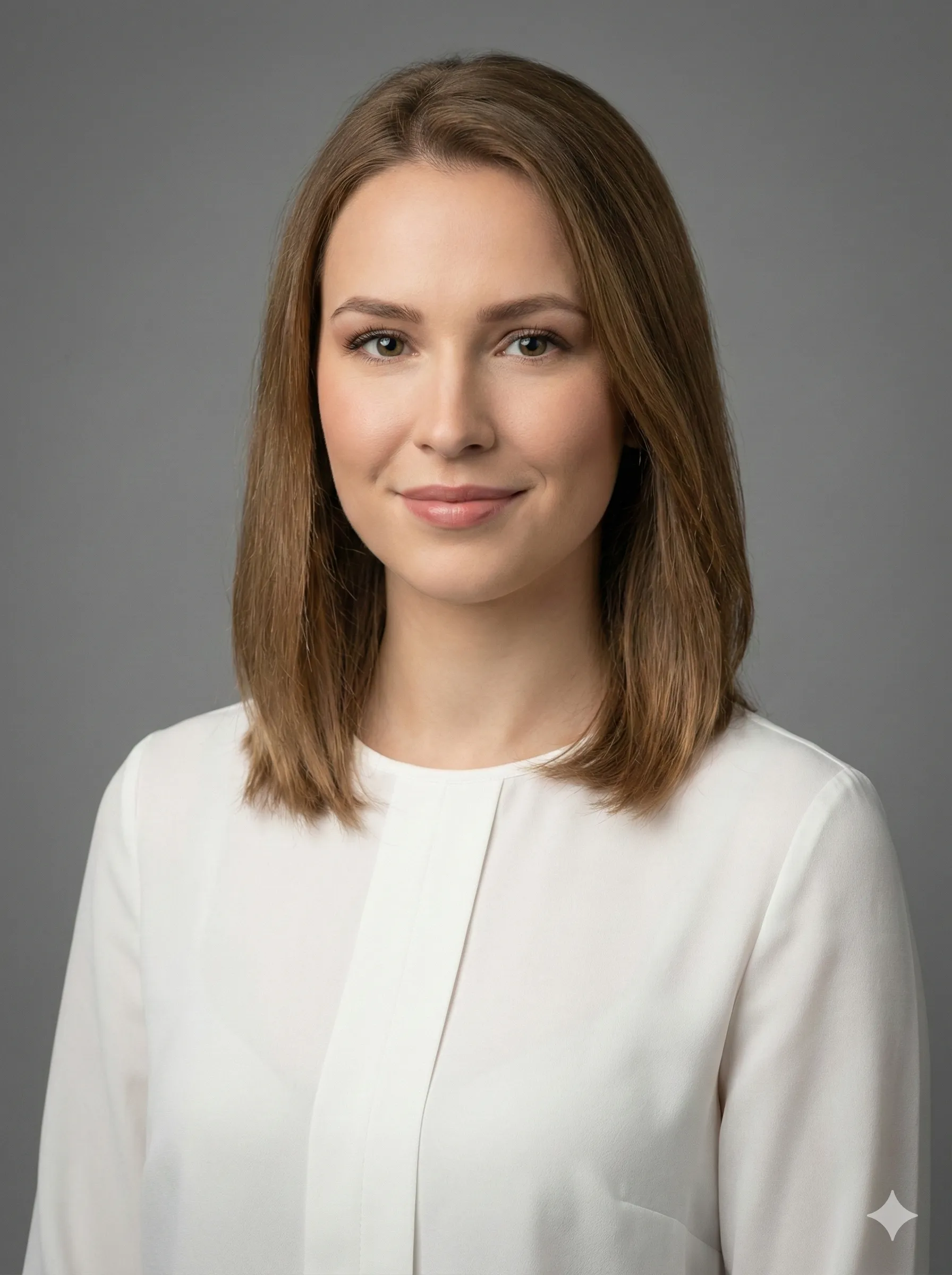
Select a photo with these ideal qualities: sharp focus on facial features, neutral or slightly smiling expression, natural lighting (outdoor or window light), simple uncluttered background, and visible hairstyle and key facial details.
Photos to avoid: sunglasses or face-obscuring accessories, extreme angles or side profiles, heavy filters or editing, group photos (use solo portraits), low resolution or blurry images.
Craft Your Pixar Transformation Prompt
The quality of your result depends heavily on prompt specificity. Here are battle-tested prompts:
Basic Pixar Style Prompt:
Create a Pixar-style 3D cartoon character based on this photo.
Big expressive eyes, smooth shading, soft cinematic lighting,
vibrant warm colors. Full face visible, magical and playful aesthetic.
Advanced Pixar Character Prompt (Recommended):
Transform this photo into a Pixar/Disney 3D animated character.
Style: High-quality CGI rendering with smooth subsurface scattering,
soft studio lighting, and depth of field blur. Character should have
oversized expressive eyes (maintain original eye color), smooth skin
with subtle subsurface scattering, and accurate hair texture.
Warm color grading with gentle rim lighting. Maintain facial likeness
while applying Pixar's signature stylization. Background: soft bokeh
with warm gradient (blues to oranges).
Profession-Specific Pixar Prompt:
Create a Pixar-style 3D character of this person as a [profession].
Include relevant props and environment: [list items like laptop,
coffee, tools, etc.]. Cinematic lighting, vibrant colors, expressive
eyes, smooth rendering. 16:9 aspect ratio.Upload and Generate
Open ChatGPT (web or mobile app). Click the image upload icon (paperclip or camera). Select your prepared photo. Paste your chosen Pixar prompt. Hit Enter and wait 30–60 seconds.
ChatGPT will process your request and generate a Pixar-style interpretation. If you're not satisfied, don't hesitate to request modifications.
Refine Your Results
Iteration is key to perfection. Try these refinement prompts:
- "Make the eyes 20% larger and more expressive"
- "Replace background with a soft purple-to-pink gradient"
- "Give the character a wider, more joyful smile"
- "Maintain more photorealistic facial structure while keeping Pixar style"
- "Add floating sparkles and magical light particles around the character"
Expert Tips for Best Pixar Style Results
Lighting and Technical Specifications
Pro Tip
Creates realistic skin translucency — the quality that makes Pixar skin glow
Request subsurface scattering
"Three-point lighting with soft key light" anchors the AI to studio-quality rendering
Specify lighting setup
"Shallow depth of field, f/2.8 aperture simulation" adds cinematic quality
Mention depth of field
"Warm color temperature, slightly increased saturation" gives the Pixar warmth
Color grading
Style Refinement by Character Type
For Female Characters
Emphasize soft features and gentle expressions. Request "delicate features with Pixar's signature warmth." Add elements like flowing hair with subsurface scattering for the luminous Pixar hair quality.
For Male Characters
Maintain stronger facial structure. Use "heroic proportions" or "everyman appeal." Keep expressions confident but approachable — the Pixar protagonist energy.
For Children
Request "Pixar's kid character proportions." Emphasize large eyes and rounded features. Use "playful, innocent expression" — Pixar's child characters always read as warm and curious.
Common Mistakes to Avoid
Common Mistakes and Their Solutions
| Mistake | Solution |
|---|---|
| Using filtered photos | Upload unedited, natural photos |
| Overly complex prompts | Keep prompts focused and specific |
| Accepting first result | Always iterate 2–3 times |
| Ignoring aspect ratio | Specify 1:1 for profile pictures |
| Forgetting style keywords | Always include "Pixar," "3D," "cinematic" |
Pixar Style Prompt Examples by Use Case
Personal Avatar (LinkedIn-Optimized)
Transform this photo into a Pixar-style avatar perfect for LinkedIn.
Professional but approachable, warm lighting, neutral gradient
background (soft blues), confident smile. High-quality 3D rendering
with smooth shading. 1024x1024 resolution, centered composition.
Family Portrait Style
Create a Pixar-style family portrait from this photo. Each person
should be stylized with big expressive eyes, warm lighting, and
joyful expressions. Cozy indoor background with soft focus.
Maintain relative heights and proportions. Cinematic quality.
Action Scene Style
Turn this photo into a Pixar action hero character. Dynamic pose,
confident expression, cinematic lighting with dramatic shadows.
Include motion blur and energy effects. Vibrant colors, 3D depth.
Alternative Tools for Pixar-Style Transformations
CartoonPerson
Best for Instant QualityFor users seeking consistent, professional results without prompt engineering, CartoonPerson provides one-click Pixar transformation with no complex prompts required. 29+ animation styles including multiple Pixar-inspired options. 4K resolution output — higher quality than ChatGPT's 1024×1024. Batch processing for multiple photos simultaneously. Commercial licensing for business use. No generation variability.
Midjourney
Highest Artistic QualityArtistic experimentation at the highest quality level available. Comfortable for users familiar with Discord interface. Produces the absolute highest aesthetic quality for one-off artistic Pixar interpretations.
Pricing: $10/month
Leonardo.ai
Fine-Tune ControlFine-tune control over the generation process. Free tier available with paid upgrades. Good for users who want more technical control than ChatGPT's conversational interface provides.
ImagineMe
Personalized ModelsPersonalized character models trained on your specific photos. Better likeness preservation for users who want consistent character identity across multiple images.
Pricing: $5 for 10 credits
When to Use Each Tool
When to Use ChatGPT
- You already have a Plus subscription
- You enjoy prompt experimentation
- You want conversational refinement
- You're creating one-off images
When to Use CartoonPerson
- You need consistent quality across multiple images
- You want 4K resolution for printing
- You're batch processing team photos
- You need commercial usage rights
- You prefer one-click simplicity
When to Use Midjourney
- Artistic experimentation is your priority
- You're comfortable with the Discord interface
- You want the absolute highest aesthetic quality for one-off pieces
Advanced Pixar Style Techniques
Pro Tip
Adding Pixar Animation Scene Elements
Place my Pixar character in a scene from [movie name]. Match the
lighting, color grading, and environmental details from that film.
Character should blend seamlessly with the Pixar universe aesthetic.
Professional Studio Lighting
Render this photo as a Pixar character using professional character
lighting setup: key light at 45 degrees camera left, soft fill light
camera right, subtle rim light from behind, warm practical light in
background. Maintain Pixar's signature warmth and appeal.
Pixar Style for Different Applications
Social Media Profile Pictures
Center the face prominently. Use simple, solid color backgrounds. Ensure eyes are clearly visible. Keep composition tight (head and shoulders). Optimize for circular crops.
LinkedIn Professional Headshots
Use subdued background colors (blues, grays). Request "professional but approachable" expression. Include subtle business attire details. Maintain realistic proportions with gentle stylization.
YouTube Channel Avatars
High contrast between character and background. Bold, saturated colors. Exaggerated expressions for visibility at small sizes. Simple composition that reads even as a tiny thumbnail.
Frequently Asked Questions
Is ChatGPT Plus required for Pixar-style images?
Yes, DALL-E 3 image generation requires a ChatGPT Plus subscription ($20/month). Free users have extremely limited daily generations. For unlimited access without subscription, consider pay-per-generation tools like CartoonPerson.
Can I use Pixar-style images commercially?
ChatGPT Plus users own the rights to generated images, but using "Pixar" or "Disney" trademarks commercially is prohibited. For clear commercial licensing, use tools like CartoonPerson that explicitly grant commercial rights without trademark concerns.
Why doesn't my Pixar character look like me?
Common causes: poor source photo quality (blur, extreme angles), insufficient prompt detail about key features, overly aggressive stylization requests, and not iterating to refine results. Use a clear, front-facing photo and explicitly mention distinctive features (glasses, beard, hairstyle) in your prompt.
What resolution are ChatGPT Pixar images?
ChatGPT generates 1024×1024 pixel images by default. For higher resolution (4K or print quality), use specialized tools like CartoonPerson or Midjourney with upscaling.
Can I create Pixar-style images of celebrities?
While technically possible, OpenAI's policy restricts generating images of public figures for safety reasons. ChatGPT may refuse requests featuring recognizable celebrities.
How long does generation take?
ChatGPT typically generates Pixar-style images in 30–90 seconds. Specialized tools like CartoonPerson can produce results in 10–15 seconds due to optimized processing pipelines.
Can I animate my Pixar-style character?
Static images can be animated using tools like Runway Gen-2 (video generation), D-ID (talking avatar creation), MyEdit (image-to-video conversion), or CapCut (simple motion effects).
Beyond Pixar: Related AI Art Styles
Studio Ghibli Style
Watercolor-inspired anime aesthetics with dreamy landscapes — perfect for nostalgic, artistic portraits. Learn how to create Ghibli-style images in our full guide.
3D Toy Style
Transform yourself into an action figure complete with packaging — the next viral trend after Pixar characters.
Claymation Style
Stop-motion animation aesthetic with visible fingerprints and texture — unique and tactile.
Pop Art Style
Bold colors, comic book halftones, and Andy Warhol-inspired designs for striking social media posts.
CartoonPerson supports all these styles and more, allowing you to explore multiple aesthetics without juggling different tools or subscriptions.
Create Your Pixar Character Today
The ChatGPT Pixar style trend demonstrates how accessible professional-quality 3D character design has become. Whether you use ChatGPT's conversational interface for creative experimentation or choose CartoonPerson's streamlined approach for consistent, high-quality results, your Pixar transformation is just moments away.
The key is starting with a quality photo, using specific prompts, and embracing iteration. Don't settle for your first result — refine until you achieve that magical Pixar quality that makes characters leap off the screen.
Ready to transform yourself into a Pixar character? Try CartoonPerson for instant, professional Pixar-style avatars in 4K resolution, or experiment with ChatGPT prompts to discover your perfect animated self. Your Pixar adventure begins now.
Interested in more AI style transformations? Explore our guides on turning photos into anime art, the viral ChatGPT caricature trend, and Studio Ghibli AI filters for comprehensive AI art creation techniques.

