Transform your everyday photos into the magical, hand-painted world of Studio Ghibli with just a few clicks. The Studio Ghibli AI filter trend has captivated millions worldwide, turning selfies, family portraits, and even memes into breathtaking artwork reminiscent of beloved films like Spirited Away and My Neighbor Totoro.
This viral phenomenon swept across social media after OpenAI's GPT-4o update, with the surge in demand even temporarily crashing ChatGPT servers. From politicians sharing their Ghibli transformations to everyday users creating whimsical portraits, the trend has proven that anyone can experience the magic of Miyazaki's artistic vision.
What Is the Studio Ghibli AI Filter Trend?
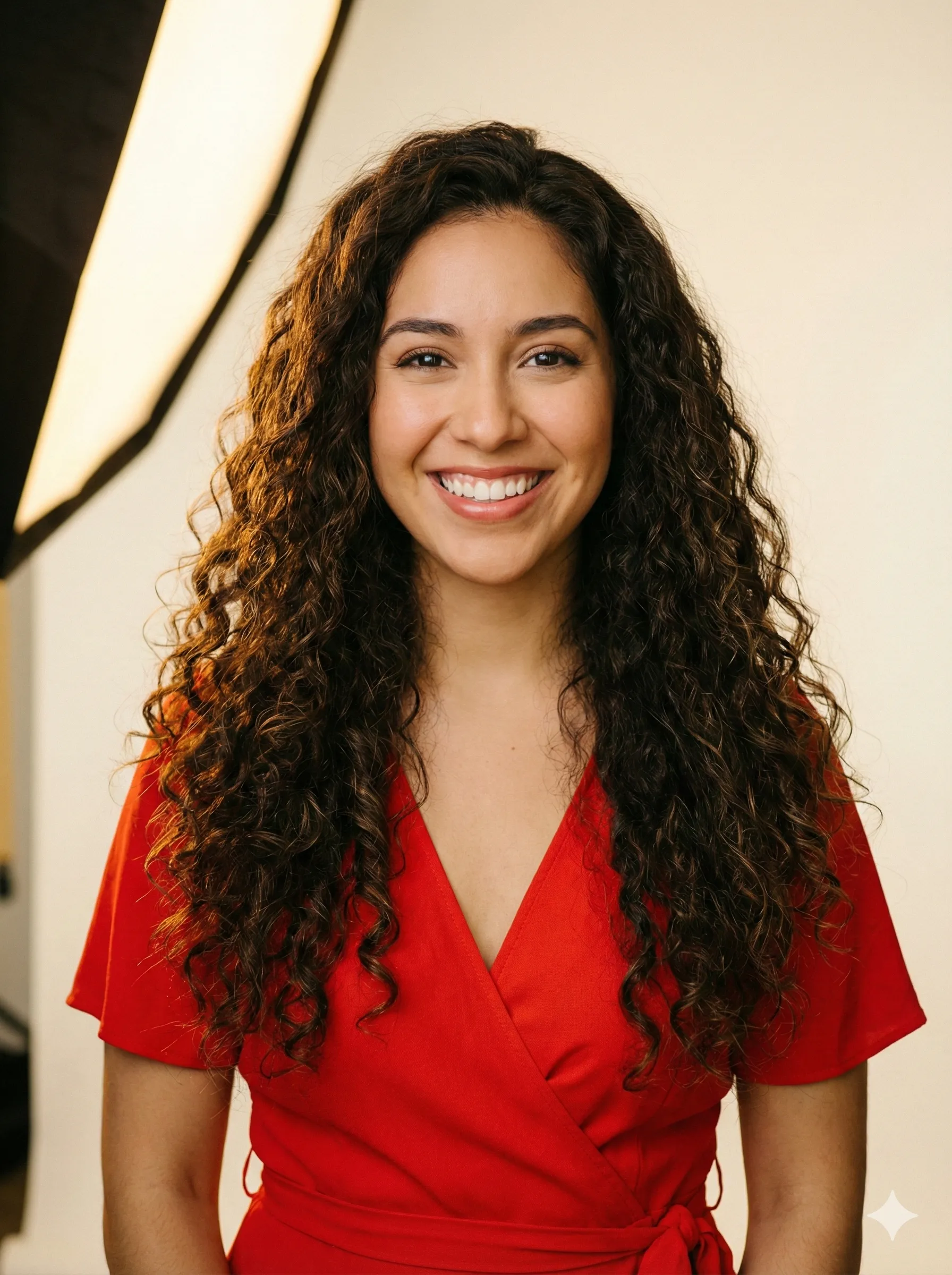
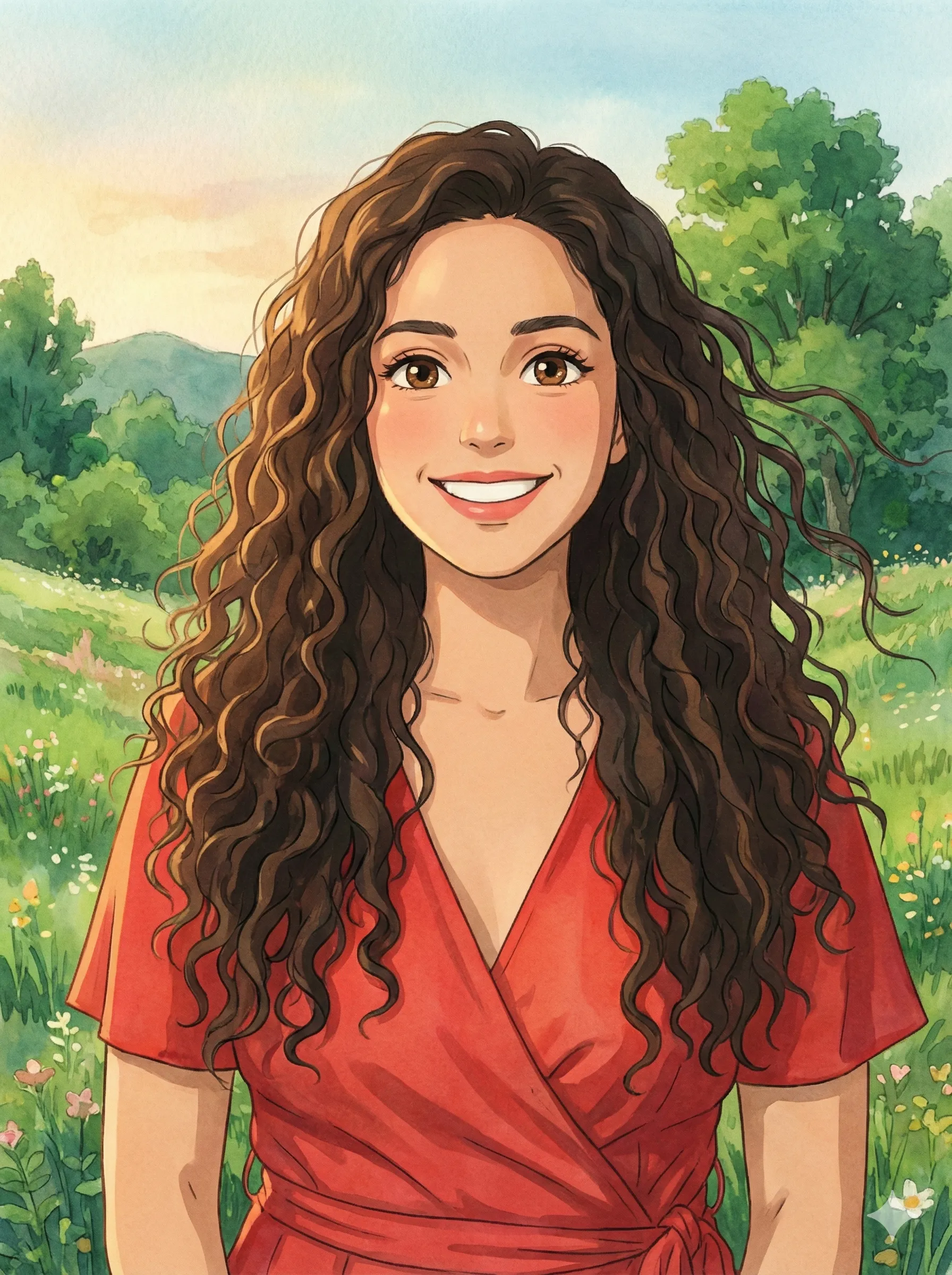
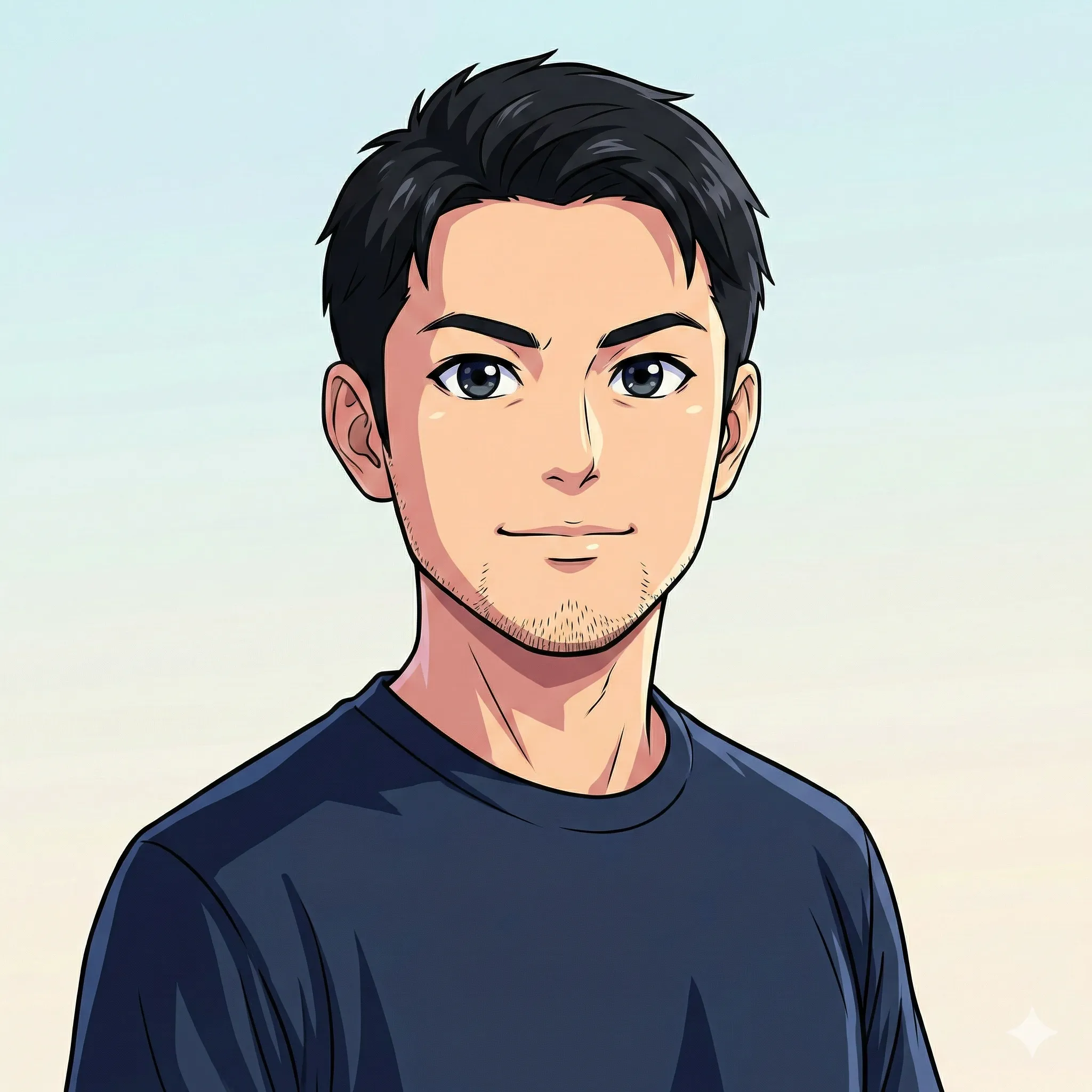
The Studio Ghibli AI filter trend uses ChatGPT's image generation capabilities to transform ordinary photographs into artwork mimicking the distinctive style of Japan's legendary animation studio. Founded in 1985, Studio Ghibli has produced iconic films that won Academy Awards and captured hearts globally.
Unlike basic cartoon filters, the Ghibli AI transformation captures the studio's signature elements:
Soft, Watercolor-Like Color Palettes
Warm, natural tones that feel hand-painted rather than digitally generated — the foundation of Ghibli's visual warmth.
Whimsical Backgrounds
Nature, clouds, and magical elements rendered with the gentle attention to detail that defines Ghibli's world-building.
Gentle Facial Expressions
Large, expressive eyes that communicate emotion with extraordinary subtlety — the emotional language of Ghibli characters.
Hand-Painted Texture
Organic rather than digital — the brushwork quality that makes every Ghibli frame feel like a painting.
Nostalgic Atmosphere
A quality of wonder and calm that makes Ghibli's visual world feel like a memory of somewhere you've never actually been.
The transformation works because ChatGPT's GPT-4o model learned from countless examples of Ghibli's distinctive visual language, allowing it to reinterpret any photo through that artistic lens.
Why Has This Trend Gone Viral?
Why the Ghibli AI Filter Captured the Internet
| Factor | Impact |
|---|---|
| Nostalgia | Taps into childhood memories of beloved Ghibli films |
| Accessibility | Free tier available — no subscription required |
| Visual Impact | Stunning transformations are highly shareable |
| Emotional Connection | Ghibli's warmth resonates across cultures |
| Ease of Use | Simple prompts produce impressive results |
| Celebrity Adoption | Politicians and influencers amplified the trend |
Industry estimates suggest millions of Ghibli-style images were generated within the first week of the trend's emergence. The demand was so intense that OpenAI's servers briefly struggled to keep up.
Step-by-Step: Create Your Studio Ghibli Portrait
What You'll Need
- A ChatGPT account (free tier works, though Plus/Pro offers more generations)
- A clear photo with good lighting and visible facial features
- A specific prompt describing your desired Ghibli transformation
Method 1: Using ChatGPT (Most Popular)
Access ChatGPT
Visit chat.openai.com and log in. Ensure you're using the GPT-4o model — this is crucial, as earlier models lack image generation capabilities.
Upload Your Photo
Click the attachment icon (or "+" button) and upload your chosen photograph. For best results, select images with front-facing or three-quarter angles, natural even lighting, visible facial features (no sunglasses), simple backgrounds, and resolution of at least 1080×1080 pixels.
Craft Your Prompt
Enter a detailed prompt describing your desired transformation. The more specific you are, the better the results.
Basic Prompt:
"Transform this photo into a Studio Ghibli-style animated portrait with soft colors and a whimsical background."
Detailed Prompt (Recommended):
"Turn this image into a Studio Ghibli-style animated portrait. Use the soft color palette, whimsical background, and facial features inspired by Ghibli characters. Style it like a scene from 'My Neighbor Totoro' or 'Spirited Away' with gentle lighting and nature elements."
Wait and Download
ChatGPT typically generates your Ghibli portrait in 30–60 seconds. Review the result and either download it or request refinements.
Method 2: Using Alternative AI Tools
While ChatGPT leads the trend, several alternatives offer unique advantages:
Grok 3 (X/Twitter)
Best for Social SharingAccess through X premium subscription. Strong understanding of anime aesthetics with integrated sharing directly to social media. Ideal if you're already on X and want frictionless posting.
Midjourney
Highest Aesthetic QualityHighest aesthetic quality available for Ghibli-style art. More artistic control through parameters. Requires Discord access but produces some of the most stunning interpretations.
Adobe Firefly
Best for Commercial UseCreative Cloud integration with commercial licensing clarity. Professional editing workflows make it ideal for designers who need Ghibli-inspired assets in their existing tools.
Best Prompts for Stunning Ghibli Results
Scene-Specific Prompts
Forest Setting (Totoro-Inspired)
"Transform my photo into a Ghibli character walking through an enchanted forest. Include towering camphor trees, dappled sunlight, and small forest spirits peeking from the underbrush. Soft greens and warm golden hour lighting."
Seaside Scene (Ponyo-Inspired)
"Create a Ghibli-style portrait of me by the ocean. Include gentle waves, a small fishing village in the background, and fluffy cumulus clouds. Use the warm, saturated colors of 'Ponyo' with a sense of summer adventure."
Magical Interior (Spirited Away-Inspired)
"Turn this photo into a Ghibli character in a magical bathhouse setting. Include warm lantern light, ornate wooden architecture, and mysterious shadows. Capture the wonder and slight eeriness of 'Spirited Away.'"
Countryside (Kiki's Delivery Service-Inspired)
"Transform me into a Ghibli character in a European countryside town. Include cobblestone streets, a bakery with warm light spilling from windows, and a calm evening sky. Style like 'Kiki's Delivery Service.'"
Weather and Mood Prompts
Soft droplets, gray-blue atmosphere, character holding an umbrella, reflective puddles on the ground
Rainy Day
Warm sunset lighting, long shadows, nostalgic summer evening feeling
Golden Hour
Soft moonlight, glowing fireflies, a sense of quiet wonder
Magical Night
Pro Tips for Perfect Ghibli Transformations
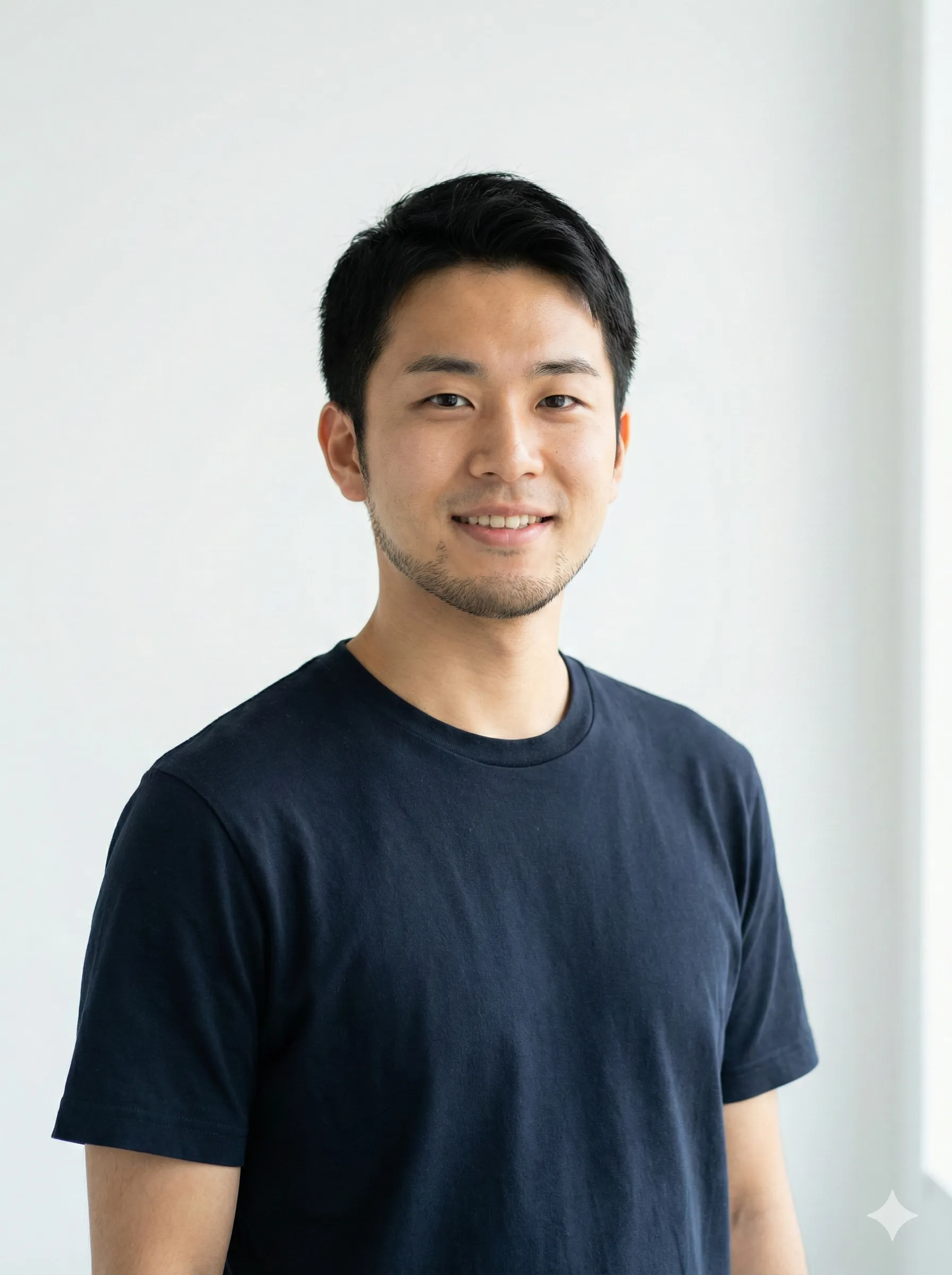
Photo Selection
Pro Tip
Gentle expressions translate better than extreme poses — Ghibli characters feel at rest with the world
Show personality
Simple, natural clothing aligns with Ghibli's aesthetic — avoid busy patterns or heavily branded items
Consider your outfit
Solid or simple backgrounds let AI focus on you and render your likeness more accurately
Clear backgrounds
Detailed source photos yield detailed transformations — aim for 1080×1080 or higher
High resolution
Prompt Engineering Tips
Pro Tip
- Describe the atmosphere you want (calm, adventurous, mysterious)
- Include environmental details (forest, ocean, sky, architecture)
- Specify lighting conditions (golden hour, overcast, twilight)
- Request specific color palettes if you have preferences
Common Mistakes to Avoid
Mistakes That Hurt Your Results
- Using blurry or low-resolution source photos
- Wearing sunglasses or face-obscuring accessories
- Requesting too many elements in one prompt (pick a scene, not five)
- Expecting perfection on the first generation — iteration is essential
- Ignoring aspect ratio for your intended platform
Alternative: CartoonPerson for Consistent Quality
While ChatGPT's Ghibli filter produces impressive results, the output varies significantly between generations. For those seeking reliable, professional-quality anime transformations, CartoonPerson offers a compelling alternative.
ChatGPT vs. CartoonPerson for Ghibli-Style Transformations
| Feature | ChatGPT | CartoonPerson |
|---|---|---|
| Style Consistency | Variable | Guaranteed |
| Art Styles | Prompt-dependent | 29+ curated styles |
| Output Resolution | 1024x1024 | Up to 4K |
| Learning Curve | Prompt engineering | One-click conversion |
| Anime Styles | Ghibli-esque only | Multiple anime aesthetics |
CartoonPerson specializes in high-quality character transformations across multiple styles including:
Anime
Japanese animation aesthetic with various sub-styles — from shonen action to peaceful slice-of-life.
Pixar 3D
Studio-quality 3D character rendering with warm, cinematic lighting.
Disney Classic
Timeless animated character look with large expressive eyes and flowing hair.
Chibi
Adorable mini-character style with oversized heads and rounded features.
Watercolor
Soft, artistic painted effect — the closest CartoonPerson style to Ghibli's hand-painted aesthetic.
While not specifically a "Ghibli filter," CartoonPerson's anime and watercolor styles create beautiful transformations inspired by Japanese animation aesthetics with consistent, predictable results.
Privacy and Copyright Considerations
Data Privacy
When using ChatGPT for image generation, photos are processed according to OpenAI's privacy policy and may be used for model improvement unless you opt out. Consider privacy-focused alternatives for sensitive photos.
Copyright Concerns
The Ghibli AI trend has sparked important discussions about artistic copyright. Studio Ghibli's distinctive style is the result of decades of artistic development. Hayao Miyazaki has expressed concern about AI art, calling it "an insult to life itself." Most AI-generated images cannot be copyrighted. Commercial use may face legal challenges.
For personal, non-commercial use, the trend remains popular despite these concerns. For professional applications, consider original AI-generated artwork or properly licensed alternatives.
Related AI Art Trends in 2026
ChatGPT Caricature Trend
Transform yourself into an exaggerated cartoon surrounded by objects representing your profession — one of 2026's most popular viral formats.
AI Action Figure Generator
Create collectible toy-box portraits complete with packaging, accessories, and power stats — the toy shelf aesthetic gone viral.
Anime Transformation
Convert photos into various anime styles from shonen action to shoujo romance — a broad and active AI art category.
AI Pet Portraits
Turn beloved pets into artistic masterpieces across multiple styles — one of the most consistently popular AI art use cases.
Each trend uses similar technology but targets different aesthetics — CartoonPerson supports many of these styles in one unified platform.
Frequently Asked Questions
Is the ChatGPT Ghibli filter actually free?
Yes, GPT-4o's image generation is available on ChatGPT's free tier, though with limited daily generations. Paid plans offer more generations per day.
Why doesn't my Ghibli transformation look like me?
Common causes include poor photo quality, extreme angles, or overly complex prompts. Try a clearer photo with simpler instructions first. Make sure your face is clearly visible and well-lit.
Can I use my Ghibli portrait commercially?
Check the terms of service for your chosen tool. Most AI-generated images have unclear copyright status, and commercial use may face challenges. Adobe Firefly offers the clearest commercial licensing of the major tools.
How many generations do I get for free?
Free tier users typically get a limited number of image generations per day. CartoonPerson offers pay-per-generation pricing without monthly subscriptions.
What resolution are ChatGPT Ghibli images?
Standard output is 1024×1024 pixels. For higher resolution options, tools like CartoonPerson offer up to 4K output.
Can I animate my Ghibli portrait?
Several tools offer image-to-video features that can add subtle movement to your static Ghibli portrait — Runway Gen-2 and D-ID are popular options.
Create Your Ghibli Transformation Today
The Studio Ghibli AI filter trend has proven that technology can help us experience the magic of beloved artistic styles. Whether you're creating a whimsical profile picture, a unique gift, or simply exploring AI creativity, the tools have never been more accessible.
Ready to step into the world of Ghibli? Start with ChatGPT for maximum flexibility, or try CartoonPerson for consistent, high-quality anime transformations across 29+ styles. Your magical portrait is just a prompt away.
The forest spirits await. What will your Ghibli transformation reveal?
Explore more AI art guides: ChatGPT caricature trend, AI action figure generator, and photo to anime transformation.

